Project Overview
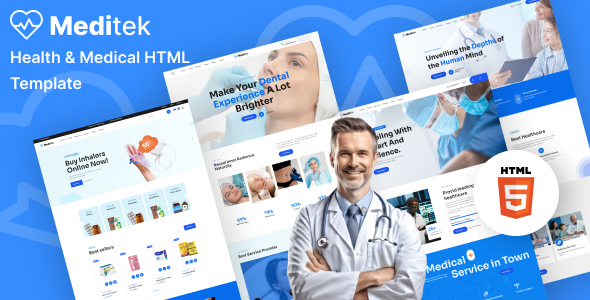
Meditek is a healthcare HTML5 website template themed Diango, including complete pages such as homepage, doctors, department services, blog, shop (cart/checkout), appointments, etc. It is suitable for small to medium-sized hospitals, clinics, or health management centers to quickly build an official website.
Tech Stack
- HTML5 + CSS3 (static template)
- Bootstrap 5 (grid and base components)
- jQuery (DOM interaction and plugin driving)
- Swiper (carousel)
- MagnificPopup (image/video lightbox)
- MeanMenu (mobile navigation)
- WOW.js + CounterUp (animation effects)
- Font Awesome 6 Pro (icons)
- Google Fonts (Sora font)
Project Structure
text
meditekhtml-10/
├── documentation/          # Official documentation site (for reference)
│   ├── index.html
│   └── assets/
└── main-file/             # Actual template main files
    ├── index.html          # Homepage (main)
    ├── index-2/3/4.html    # Homepage variants
    ├── about.html          # About Us
    ├── service.html        # Department/Service list
    ├── service-details.html
    ├── doctor.html         # Doctor team
    ├── doctor-details.html
    ├── appointment.html    # Appointment page
    ├── blog.html           # Blog
    ├── blog-grid.html
    ├── blog-details.html
    ├── product.html        # Shop products
    ├── product-details.html
    ├── cart.html / checkout.html / wishlist.html
    ├── contact.html        # Contact/Message
    ├── error.html
    └── assets/
        ├── css/main.css    # Core styles
        ├── js/main.js      # Interaction scripts
        └── mail.php        # Email sending backend
Core File Description
main-file/index.html— Homepage, includes Banner, doctor introduction, services, counters and other modulesmain-file/assets/css/main.css— All theme styles, defines color system, components and responsive layoutmain-file/assets/js/main.js— Preloader, mobile menu, scroll listening, lightbox, back to top and other interaction logicmain-file/assets/mail.php— Backend email sending script for contact/appointment formsmain-file/service.html— Department/Service display page templatemain-file/doctor.html— Medical team and doctor introduction page
Quick Start
- Deploy the
main-file/directory to any web server (or preview directly using VS Code Live Server plugin) - Open
index.htmlin your browser to view the homepage - To enable the contact form functionality, configure
assets/mail.phpin an executable PHP environment and check that the form'sactionattribute points to it
Usage Suggestions
- All pages are created by copying and modifying from
index.html. It is recommended to back up before making changes main.cssis a large file (thousands of lines). For custom styles, create a new sub CSS file and import it inindex.htmlto avoid directly modifying the original file, which could cause difficulties with future upgrades- Mobile navigation relies on MeanMenu. After modifying the menu structure, update the
#mobile-menuselector binding inmain.jsaccordingly
