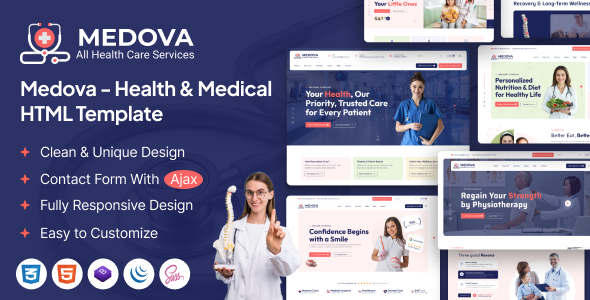
Project Overview
Medova is a multi-page HTML template designed for the healthcare industry, providing complete pages such as clinic homepage, dental care, pediatric care, blog, shop, and doctor team. It is suitable for quickly building hospital, clinic, or healthcare websites. The template features a responsive layout, integrated shopping cart (based on WooCommerce), and contact form functionality.
Tech Stack
- HTML5 / CSS3 (custom styles + Bootstrap 5)
- jQuery (mobile menu, scroll animations, carousels, and other interactions)
- FontAwesome (icons)
- PHP (contact form backend mail.php)
Project Structure
medovahtml-10/
├── documentation/          # Template usage documentation (index.html + css/)
├── download-version/       # Actual usable template files
│   ├── index.html          # Main homepage
│   ├── about.html          # About us
│   ├── contact.html        # Contact page
│   ├── blog*.html          # Blog list/detail (multiple layouts)
│   ├── shop*.html          # Product list/detail
│   ├── doctor*.html        # Doctor team
│   ├── service*.html       # Service items
│   ├── home-*.html         # Different style homepages (dental/clinic/pediatric)
│   ├── mail.php            # Form backend
│   └── assets/
│       ├── css/style.css   # Complete stylesheet
│       └── js/main.js      # All interaction logic
Core File Description
download-version/index.html— Main homepage, includes carousel, departments, doctor showcase, etc.download-version/assets/css/style.css— Global styles, defines medical theme colors (primary color #F96363)download-version/assets/js/main.js— Mobile menu, scroll-to-top, anchor navigation, and other interactionsdownload-version/home-medical-clinic.html— Medical clinic style homepage templatedownload-version/shop.html— Product listing page, includes shopping cart and checkout processdownload-version/mail.php— Contact form backend processing script
Quick Start
Simply open download-version/index.html in your browser to preview. The contact form requires a server environment (e.g., XAMPP) to run mail.php, ensuring PHP environment is available.
Usage Suggestions
The template includes multiple homepage variants. It is recommended to select the appropriate home-*.html as the entry page based on your actual business needs for secondary development. To customize colors, simply modify the CSS variables (e.g., --theme-color) at the top of style.css for global changes.
