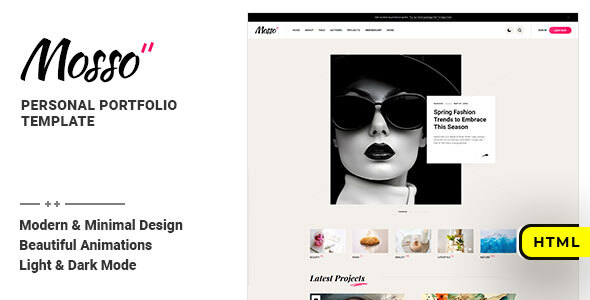
Project Overview
Mosso is a static HTML personal portfolio template, suitable for showcasing blogs, portfolios, or creative websites. The template provides 14 complete pages with responsive layout, dark mode toggle, and site search functionality, ready to run directly in a local server environment.
Tech Stack
- HTML5 / CSS3
- JavaScript (jQuery)
- Google Fonts (Heebo, Kanit, Playfair Display)
- SVG Icons
Project Structure
text
mossohtml-10/mainpack/
├── doc/
│   ├── index.html      # Documentation homepage
│   ├── css/
│   ├── js/
│   └── img/
└── html/
    ├── index.html      # Homepage
    ├── about.html      # About page
    ├── contact.html    # Contact page
    ├── membership.html # Membership page
    ├── projects.html   # Projects page
    ├── sign-in.html    # Sign in page
    ├── sign-up.html    # Sign up page
    ├── single.html     # Article detail page
    └── assets/         # CSS/JS/SVG resources
Core File Description
html/index.html— Site homepage, includes header navigation and content areahtml/assets/css/style.css— Main stylesheet, controls overall visual stylehtml/assets/css/base.css— Base reset and common styleshtml/assets/css/responsive.css— Media queries, mobile responsivenessdoc/index.html— Official documentation, includes installation and customization guidehtml/assets/svg/— SVG icons directory
Quick Start
bash
# 1. Download and install XAMPP (or other local server tool)
# 2. Upload the mainpack/html/ directory contents to the server root
# 3. Access via browser at localhost or the bound domain name
Note: The documentation indicates that SVG icons may display incorrectly when opening files directly by double-clicking locally. It is recommended to access them through a local server.
Usage Suggestions
- The template uses a dark sidebar documentation page by default. To customize it for your own portfolio, edit
html/index.htmland the content of each page. - Dark mode toggle is built-in and can be kept or removed by adjusting the corresponding CSS/JS references.
