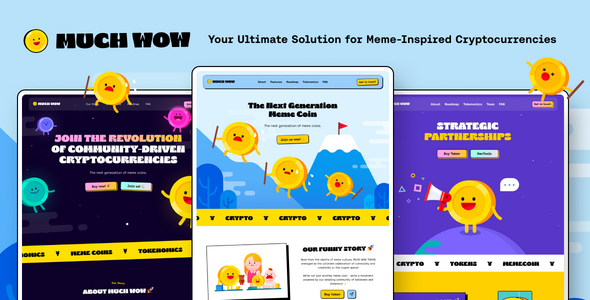
Project Overview
MuchWOW is a static HTML single-page template designed for Meme Coin and cryptocurrency projects. It offers multiple layouts, dark mode toggle, GDPR compliance popup, and other out-of-the-box features, making it ideal for quickly building ICO launch pages or cryptocurrency landing pages.
Tech Stack
- Static HTML5 + CSS3 + Vanilla JavaScript
- UIkit 3 (Frontend Framework)
- Swiper (Carousel)
- GSAP / Anime.js (Animations)
- jQuery (Utility Library)
Project Structure
text
muchwowhtml-10/
├── muchwow/                     # Main template directory
│   ├── index.html               # Homepage entry
│   ├── main/                    # Inner pages (sign-in, sign-up, privacy, etc.)
│   └── assets/
│       ├── css/                 # Stylesheets
│       ├── images/              # Image assets
│       └── js/                  # Scripts (app.js, etc.)
├── documentaion/                # Documentation page (typo)
└── __MACOSX/                    # macOS archive residue
Key Files
muchwow/index.html— Main page entry, includes SEO metadata, preloaded resources, GDPR popup, and back-to-top buttonmuchwow/assets/js/app.js— Interactive logic for dark mode toggle, sticky footer on scroll, horizontal scroll hijacking, etc.muchwow/assets/css/theme/main.min.purge.css— Main stylesheet (minified)muchwow/assets/js/uni-core/— UIkit extension components (CSS/JS bundle)documentaion/index.html— Official documentation, includes customization options, RTL support, plugin instructionsmuchwow/main/— Inner page templates (sign-in, sign-up, privacy, terms, etc.)
Quick Start
Simply open muchwow/index.html in your browser to preview. No build steps required. To run a local server, use:
bash
npx serve muchwow
# or
python -m http.server 8000
Usage Tips
- The template relies heavily on external CDN preloaded scripts. Before deployment, upload
assets/js/and CSS resources to your server or CDN - Dark mode state is persisted via
localStorage— you can reuse this logic to integrate with your actual product
