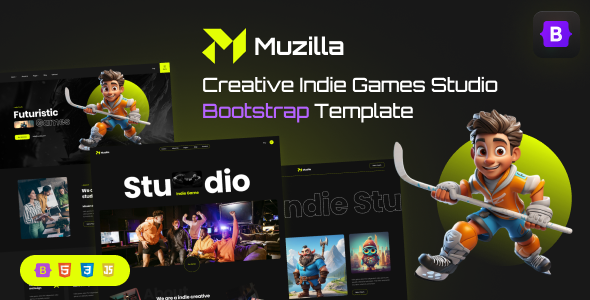
Project Overview
Muzilla is a versatile game studio website template built on Bootstrap 5, ideal for indie game development teams, digital creative agencies, or game publishers to showcase their work, team, and updates. The template includes 3 homepage styles, blog, game details, and 17 complete pages, ready to use out of the box.
Tech Stack
- Bootstrap 5 (core CSS framework)
- Gulp (automated build)
- Sass (style preprocessing)
- Swiper (carousel component)
- AOS (scroll animation)
- Magnific Popup (image lightbox)
- Odometer (number counter)
- BrowserSync (hot-reload dev server)
Project Structure
text
muzillahtml-10/Muzilla_v1.0.0_Unzip-First/
├── 1.Muzilla_template/          # Static page template (direct use)
│   ├── index.html                # Homepage v1
│   ├── index-2.html              # Homepage v2
│   ├── index-3.html              # Homepage v3
│   ├── about-us.html
│   ├── our-game.html
│   ├── game-details.html
│   ├── blog-list.html
│   ├── blog-details.html
│   ├── services-1.html
│   ├── services-2.html
│   ├── services-details.html
│   ├── contact.html
│   ├── careers.html
│   ├── pricing.html
│   ├── faqs.html
│   ├── terms.html
│   ├── 404.html
│   └── assets/
├── 2.Muzilla_Development_SourceCode/  # Gulp development source
│   ├── src/
│   │   ├── assets/scss/          # Sass source files
│   │   └── views/pages/          # HTML modular views
│   ├── gulpfile.js               # Gulp task configuration
│   └── package.json
├── 3.Muzilla_Documentation/      # Documentation
└── 4.Muzilla_Figma_template/      # Figma design source files
Core File Description
1.Muzilla_template/index.html— Website homepage entry, showcasing studio intro and featured gamesgulpfile.js— Defines include-html, sass compilation, browser-sync hot-reload and other dev taskspackage.json— Gulp + Sass dev dependency config, run after npm installsrc/assets/scss/main.scss— Global Sass entry file, manages variables and component stylessrc/views/pages/*.html— HTML module fragments, combined into full pages via @@include syntax1.Muzilla_template/assets/css/— Compiled CSS output directory
Quick Start
Use template directly (no build required)
bash
# Enter template directory, open index.html in browser
cd "1.Muzilla_template"
open index.html
Local development (requires Node.js)
bash
cd "2.Muzilla_Development_SourceCode"
npm install
npm run dev
Browser automatically opens http://localhost:3000, hot-reload active.
Production build
bash
npm run build
Usage Tips
- Template pages are fully implemented UI-wise. Directly modify HTML/CSS under
1.Muzilla_templatewithout rebuilding from source each time. - For customizing Sass variables or component styles, it's recommended to use the Gulp workflow in
2.Muzilla_Development_SourceCodeto maintain modular styles. - Page path navigation uses relative paths. When moving files, update
assetspath references accordingly.
