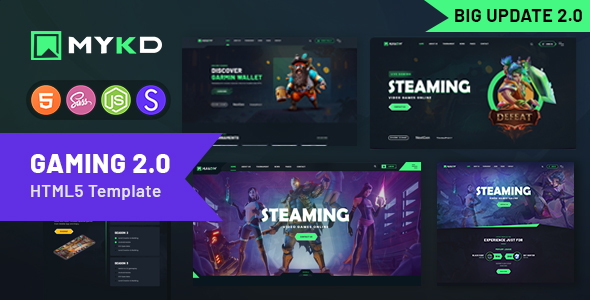
Project Overview
MYKD is a dark-themed static web template designed for esports gaming and NFT sectors, featuring 20+ pre-built pages including homepage, shop, blog, tournaments, and team introduction pages. Ideal for quickly prototyping game clubs or NFT trading platforms.
Tech Stack
- Bootstrap 5.1.3 (responsive layout & grid system)
- jQuery (DOM manipulation & plugin ecosystem)
- Swiper.js / Slick (carousel & slider components)
- WOW.js / GSAP (scroll animations & transition effects)
- Poppins / Barlow fonts (built-in Webfont)
- PHP (contact form email sending only)
Project Structure
text
mykdhtml-10/
├── Documentation/          # Official documentation
├── mykd/                   # Full version (with complete comments)
│   ├── assets/
│   │   ├── css/            # Style files (main.css, etc.)
│   │   ├── js/             # Interactive scripts (main.js, etc.)
│   │   ├── audio/          # Click sound effects
│   │   └── mail.php        # Form backend
│   └── *.html              # 20+ pages
└── mykd-minified/          # Minified version (production use)
Core Files Description
mykd/assets/js/main.js— Full-site interaction logic (navigation, carousel, animations, scroll listeners, 30+ feature modules)mykd/assets/css/main.css— Main stylesheet with dark theme variables and 20+ component block stylesmykd/index.html— Main homepage featuring Banner, leaderboards, tournament calendar, and other esports core modulesmykd/shop.html— Product listing page with card layout and filter interactionsmykd/tournament.html— Tournament page with schedule and team information displayDocumentation/index.html— Official documentation describing template structure and customization methods
Quick Start
bash
# 1. Navigate to template directory
cd mykdhtml-10/mykd

# 2. Local server (choose one)
npx serve                    # Recommended
python -m http.server 8080
php -S localhost:8000

# 3. Open browser at http://localhost:8080
Static assets can be opened directly, but some AJAX and contact form features require a server environment.
Usage Recommendations
- For production deployment, use the
mykd-minifieddirectory with compressed files; for development and debugging, use themykddirectory with complete comments. - Replace Logo, images, and sound effect files before going live; the dark theme with neon green (#45f882) color scheme is well-suited for esports-style websites.
