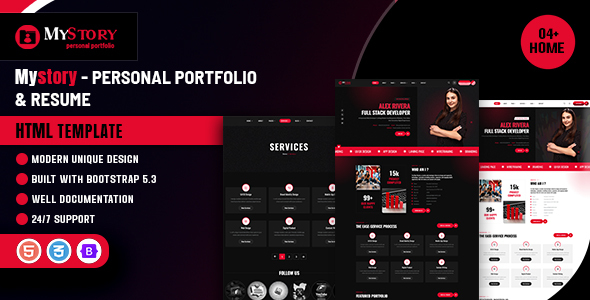
Project Overview
MyStory is a modern personal portfolio HTML5 template built on Bootstrap 5, offering dark and light homepage variants, portfolio showcases, blog, service details, and contact forms. It's ideal for personal bloggers, freelancers, or creative professionals looking to quickly build a portfolio website.
Tech Stack
- Bootstrap 5.1.3
- jQuery (for some interactive features)
- Lenis (smooth scrolling)
- Font Awesome 6, Flaticon, IcoMoon icon libraries
- Owl Carousel, Swiper carousel components
- AOS, Animate.css, Wow.js animation effects
- Jarallax parallax backgrounds
- Magnific Popup image lightbox
- Nice Select dropdown
- Google Fonts (Lato + Oswald)
Project Structure
text
mystoryhtml-10/
├── 01-html-file/          # Template main files
│   ├── index.html          # Homepage
│   ├── index-light.html    # Light homepage
│   ├── index-one-page.html # Single-page homepage
│   ├── blog.html           # Blog list
│   ├── contact.html        # Contact page
│   ├── projects.html       # Portfolio
│   ├── services.html       # Services page
│   └── assets/
│       ├── css/
│       │   ├── style.css   # Main styles
│       │   ├── responsive.css
│       │   └── *.min.css   # Library styles
│       ├── js/
│       │   ├── script.js   # Main script
│       │   └── *.min.js    # Library scripts
│       └── inc/
│           └── sendemail.php  # Email sending
└── 02-doc-file/            # Official documentation
Core File Descriptions
01-html-file/index.html— Main homepage template with complete page structure and functional componentsassets/css/style.css— Global styles and custom variables, defining dark base theme with red accent colorsassets/js/script.js— Core interaction logic including sidebar, chat popup, form validation, etc.assets/inc/sendemail.php— Contact form email sending backend scriptassets/css/light.css— Light theme toggle stylesassets/css/color-2.css— Alternative color scheme definitions
Quick Start
- Open
01-html-file/index.htmldirectly in a browser to preview the full effect - For email sending functionality, deploy the project to a PHP environment (requires
mail()support or SMTP configuration) - The contact form submission path points to
assets/inc/sendemail.php— adjust according to your server environment before deployment
Usage Suggestions
The template offers multiple homepage variants (dark/light, single-page/multi-page) — choose or combine based on your needs. To customize the theme color, simply modify the CSS variables in style.css (e.g., --mystory-base) for global color changes without editing individual style files.
