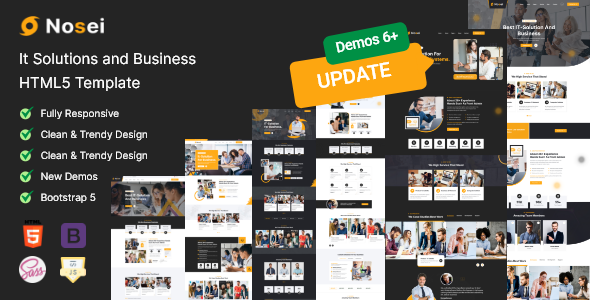
Project Overview
Nosei is a Bootstrap-based HTML5 website template for IT solutions and business services, featuring complete pages including Home, Services, Projects, Team, Blog, and Contact. It is suitable for tech companies or digital agencies building their corporate website. The template includes interactive components such as Swiper carousel, meanmenu mobile navigation, and magnificPopup image/video lightbox.
Tech Stack
- Bootstrap 5.x (responsive layout framework)
- Swiper (carousel and slideshow)
- jQuery + jQuery plugin ecosystem (meanmenu, nice-select, scrollUp, magnificPopup)
- Google Fonts (Inter, Rubik fonts)
- Font Awesome 5.x (icon library)
Project Structure
text
noseihtml-10/
├── documentation/          # Official documentation (Bootstrap usage guide)
│   └── index.html
└── nosei/                  # Template main directory
    ├── index.html          # Homepage (6 homepage variants)
    ├── about.html          # About Us
    ├── service.html        # Services list
    ├── project.html        # Project showcase
    ├── team.html           # Team members
    ├── blog*.html          # Blog-related pages
    ├── contact.html        # Contact information
    ├── error.html          # 404 error page
    └── assets/
        ├── css/            # Stylesheets (including main.css core styles)
        └── js/             # Script files (including main.js interaction logic)
Core File Description
nosei/index.html— Homepage entry file, includes complete layout with Banner, Services, Projects, etc.nosei/assets/css/main.css— Main stylesheet, defines global typography, color variables, and component stylesnosei/assets/js/main.js— Interaction script, implements carousel, sidebar, mobile menu, scroll monitoring, etc.nosei/assets/css/bootstrap.min.css— Bootstrap base framework stylesdocumentation/index.html— Template usage documentation (page structure, customization guide)
Quick Start
Pure static template, no build required. Open nosei/index.html directly in a browser, or deploy to any web server (e.g., Nginx, Apache) or static hosting platform.
bash
# Local preview (if http-server is available)
npx http-server nosei -p 8080
Usage Suggestions
- When customizing, prioritize modifying CSS variables in
main.css(e.g.,--clr-theme-primary) to quickly unify brand colors. - All pages share the same
assetsfolder; to add a new page, simply copy an existing HTML file and adjust the content blocks. - Mobile menu is controlled by meanmenu, with the threshold defined by the
meanScreenWidthparameter inmain.js.
