Project Overview
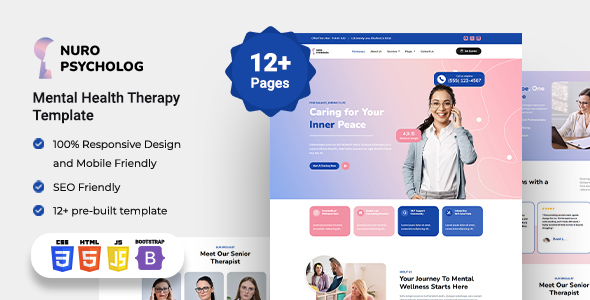
Nuro is a set of static templates for mental health clinic websites based on Bootstrap 5. It includes complete pages such as Home, Services, Team, Appointment, and Blog, making it suitable for quick setup of psychological counseling agencies, mental health clinics, or healthcare websites.
Tech Stack
- HTML5 + CSS3 (Native Styles + CSS Variables)
- Bootstrap 5 (Responsive Layout, Offcanvas Navigation)
- jQuery (Interaction Logic)
- AOS (Scroll Animations)
- Swiper (Carousel Component)
- Font Awesome + Bootstrap Icons (Icon Libraries)
- Google Fonts (Nunito / Source Sans 3)
- PHP (Form Processing, only
form_process.php)
Project Structure
text
nurohtml-10/
├── documentation/          # Official Documentation
│   ├── assets/
│   │   ├── css/
│   │   ├── fonts/
│   │   ├── img/
│   │   └── js/
│   └── index.html
└── html_template/          # Template Main Body
    ├── index.html          # Home Page Entry
    ├── about-us.html
    ├── services.html
    ├── contact-us.html
    ├── pricing.html
    ├── team.html
    ├── blogs.html
    ├── faqs.html
    ├── error-404.html
    ├── appointment.html
    ├── css/
    │   └── style.css       # Main Stylesheet
    ├── image/              # Template Image Assets
    └── js/
        └── script.js       # Main Interaction Script
Core File Description
html_template/index.html— Home page entry filehtml_template/css/style.css— Main stylesheet defining colors, layout, and all component styleshtml_template/js/script.js— Initializes AOS animations and other interaction logichtml_template/php/form_process.php— Backend form submission processing scripthtml_template/image/— Template image assets such as Logo, Hero imagesdocumentation/index.html— Official documentation index page
Quick Start
- Open
html_template/index.htmldirectly in a browser to preview; - For local development, it is recommended to use VS Code with the Live Server extension to start a local server;
- The form functionality requires a backend environment (e.g.,
php -S localhost:8000) to runform_process.php.
Usage Suggestions
All template style variables are centralized in the :root block of css/style.css. Modify variables such as --primary-color and --secondary-color to quickly change the theme color scheme. If you need to integrate with a CMS, please note that the documentation explicitly states this template is a pure static template and does not provide integration support for platforms like WordPress.
