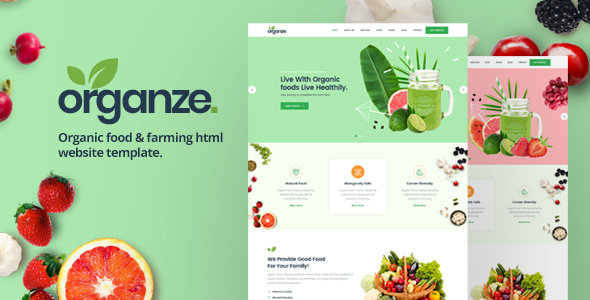
Project Overview
OrganZe is an HTML template designed for organic food and agricultural businesses, featuring complete pages including homepage, product store, blog, and contact sections. It is suitable for agricultural e-commerce, green food brand websites, or farm showcase sites.
Tech Stack
- HTML5 / CSS3
- Bootstrap 4
- jQuery
- Slick Slider (carousel)
- Owl Carousel (product display)
- Slicknav (mobile menu)
- Venobox (image lightbox)
Project Structure
text
organzehtml-10/Master Files/
├── Documentation/
│   └── index.html           # Template documentation
└── html/
    ├── index.html            # Homepage
    ├── about.html            # About Us
    ├── services.html         # Services
    ├── shop.html             # Shop listing
    ├── product-details.html  # Product details
    ├── cart.html             # Shopping cart
    ├── checkout.html         # Checkout page
    ├── blog-grid.html        # Blog grid layout
    ├── blog-classic.html     # Blog classic layout
    ├── blog-single.html      # Blog article
    ├── contact.html          # Contact page (with form)
    ├── contact.php           # Form backend processing
    ├── gallery.html          # Gallery
    ├── team.html             # Team members
    ├── testimonial.html      # Customer testimonials
    ├── faq.html              # Frequently Asked Questions
    ├── 404.html              # Error page
    ├── css/                  # Stylesheets (main.css is primary)
    ├── js/                   # Scripts (main.js contains all interaction logic)
    ├── fonts/                # Icon fonts
    └── img/                  # Sample images
Key Files
html/index.html— Homepage entry point, includes slideshow, featured products, customer reviews, etc.html/css/main.css— Main stylesheet defining global layout, color scheme (primary color #34ad54), and utility classeshtml/js/main.js— Interaction scripts implementing sticky navigation, slideshow, product carousel, and other animationshtml/js/contact.js— Contact form AJAX submission logichtml/contact.php— Form backend processing script, requires server setuphtml/shop.html— Shop page displaying product listings
Quick Start
This is a static template with no dependencies to install:
- Navigate to
organzehtml-10/Master Files/html/directory - Double-click
index.htmlto open in browser
Or use a local server (such as VS Code Live Server) for a better development experience.
Usage Tips
- The contact form relies on
contact.phpand needs to be deployed to a PHP environment (e.g., XAMPP) for email functionality - Image assets are located in the
img/directory; it's recommended to replace them with actual product images and brand materials - The template uses mobile-first responsive design; customization of the color scheme can be done directly in
main.css
