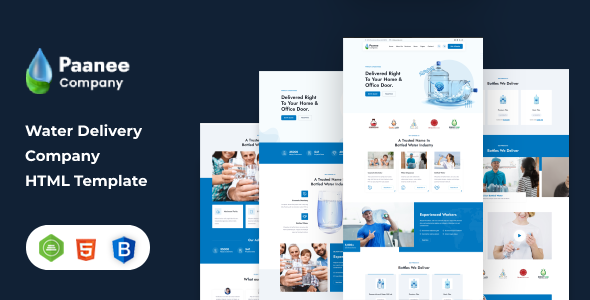
Project Overview
Paanee is a static HTML website template designed for bottled water delivery service providers. Built on Bootstrap 4 responsive layout, it includes complete pages such as homepage, services, blog, shop (cart/checkout), team showcase, and contact form, making it suitable for quickly building a water station official website.
Tech Stack
- Bootstrap 4.3.1 (responsive framework)
- jQuery (interaction logic)
- Font Awesome 4 (icons)
- Google Fonts (Jost, Rubik fonts)
- Pure static, no build tools required
Project Structure
text
paaneehtml-10/
└── paanee pack/
    ├── paanee/              ← Template main folder
    │   ├── assets/
    │   │   ├── css/         ← Styles (includes responsive.css, color.css)
    │   │   ├── js/
    │   │   ├── fonts/
    │   │   └── images/
    │   ├── index.html        ← Homepage
    │   ├── index-2.html     ← Homepage variant
    │   ├── about.html
    │   ├── services.html / service-details.html
    │   ├── shop.html / single-product.html
    │   ├── cart.html / checkout.html
    │   ├── blog.html / blog-details.html
    │   ├── team.html / gallery.html
    │   ├── contact.html / faq.html
    │   └── 404.html
    └── paanee doc/           ← Official documentation (can be ignored)
Key Files Description
paanee/index.html— Homepage with navigation, banner, and feature showcasepaanee/assets/css/style.css— Global stylesheetpaanee/assets/css/color.css— Theme color configurationpaanee/shop.html— Product listing page with cart and checkout flowpaanee/contact.html— Contact page with map and formpaanee/assets/js/script.js— Navigation interactions and scroll logic
Quick Start
Simply open paanee/index.html in your browser to preview. Edit the corresponding HTML files for content changes, and make CSS adjustments in assets/css/.
Usage Suggestions
Before going live, replace all Google Fonts and Bootstrap CDN links with local files or CDNs accessible in your region to ensure loading speed; the shop module is a frontend showcase, and payment functionality requires integrating your own backend API.
