Project Overview
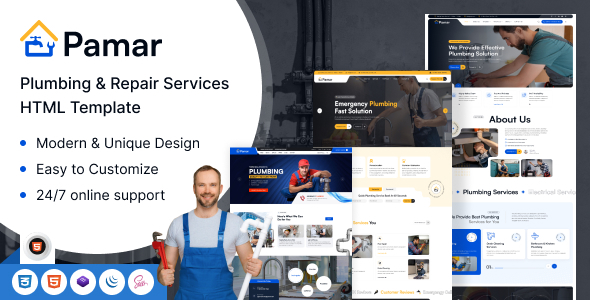
Pamar is a set of HTML website templates for the plumbing service industry, offering three homepage variants for general plumbing services, emergency repairs, and residential plumbing. It supports both multi-page and single-page modes, enabling quick setup of corporate showcase sites for plumbers and plumbing companies.
Tech Stack
- Bootstrap 5 (CSS framework)
- jQuery (DOM manipulation & interactions)
- Font Awesome 6 Pro (icon library)
- Magnific Popup (gallery lightbox)
- Swiper (carousel/slider)
- GSAP / ScrollTrigger (scroll animations)
- SplitText (text splitting animation)
- particles.js (particle effects)
- Satoshi + Inter (fonts)
Project Structure
text
pamarhtml-10/
└── download-version/
    ├── index.html              # Homepage (General Plumbing Services)
    ├── home-2.html             # Homepage Variant (Emergency Repairs)
    ├── home-3.html             # Homepage Variant (Residential Services)
    ├── home-1-op.html          # Single-page Homepage 1
    ├── home-2-op.html          # Single-page Homepage 2
    ├── home-3-op.html          # Single-page Homepage 3
    ├── about.html, contact.html, service.html, shop.html  # Business pages
    ├── blog.html, team.html, testimonial.html             # Content pages
    ├── cart.html, checkout.html, wishlist.html            # E-commerce pages
    ├── mail.php                # Email sending backend
    └── assets/
        ├── css/
        │   ├── bootstrap.min.css   # Bootstrap framework
        │   ├── fontawesome.min.css # Icon library
        │   ├── magnific-popup.min.css
        │   ├── swiper-bundle.min.css
        │   └── style.css           # Main theme styles (includes CSS variables)
        ├── js/
        │   ├── bootstrap.min.js
        │   ├── main.js             # Core interaction logic
        │   ├── particles-config.js # Particle effect configuration
        │   ├── ScrollTrigger.min.js
        │   └── SplitText.min.js
        └── fonts/                  # Satoshi font files
Key File Descriptions
download-version/index.html— Homepage entry point, includes navigation, slideshow, and service showcase sectionsassets/css/style.css— Core theme styles, defines color variables (--theme-color, etc.), layout, and component stylesassets/js/main.js— jQuery plugin implementing mobile menu, scroll-to-top, back-to-top button, and single-page navigationassets/js/particles-config.js— Particle animation configuration for homepage background decorationmail.php— Contact form backend handler, receives POST requests and sends emailsassets/fonts/Satoshi-*.woff— Satoshi custom fonts supporting the heading typography system
Quick Start
- Open
download-version/index.htmldirectly in your browser to preview. - For a local server (recommended), run the following in the directory:
bash
# Python 3
python -m http.server 8080

# Node.js (npx)
npx serve .
Visit http://localhost:8080 to view.
Usage Tips
- The template offers 6 homepage variants (three business scenarios × multi-page/single-page). Choose the appropriate page as your entry point based on your actual service type.
style.cssdefines a complete CSS variable system at the top. To change the theme color, simply modify values like--theme-colorin:root— no need to edit line by line.
