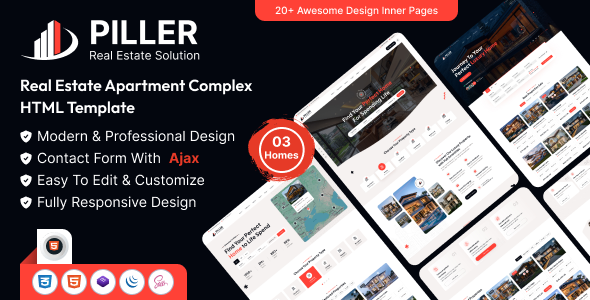
Project Overview
Piller is a static real estate website template built on Bootstrap, featuring 30+ complete pages including homepage, about page, property details, blog, e-commerce shopping cart, team, services, and more. Ideal for quickly building real estate agency, property management, or rental platform websites. The template includes an online color switcher and preloader animation.
Tech Stack
- Bootstrap 5.x (responsive layout framework)
- jQuery (DOM manipulation and interactions)
- Font Awesome 6 Pro (icons)
- Magnific Popup (image lightbox)
- Swiper (carousel/slider)
- Nice Select (dropdown styling)
- SCSS (CSS preprocessor)
- PHP (email form handling)
Project Structure
text
pillerhtml-10/
├── documentation/          # Template usage documentation
│   ├── index.html
│   └── assets/
│       ├── css/style.css
│       └── js/main.js
└── download-version/       # Ready-to-use complete template
    ├── index.html          # Homepage
    ├── about.html
    ├── contact.html
    ├── property.html
    ├── property-details.html
    ├── blog.html
    ├── shop.html
    ├── cart.html
    ├── checkout.html
    ├── team.html
    ├── mail.php             # Form backend
    └── assets/
        ├── css/style.css
        └── js/main.js
Key Files
download-version/index.html— Template homepage with carousel, property category filtering, and CTA sectionsdownload-version/assets/css/style.css— Main stylesheet defining theme colors (--theme-color: #ff4136), fonts, and site-wide layoutdownload-version/assets/js/main.js— Interactive logic including mobile menu, scroll-to-top, back-to-top button, and form submissiondownload-version/mail.php— Backend email processing script for contact formsdownload-version/property-details.html— Property detail page with 360° panorama and map sectiondownload-version/shop.html— E-commerce product listing page with filtering and shopping cart functionality
Quick Start
- Deploy the
download-versionfolder to any web server (Nginx / Apache / VS Code Live Server) - Open
index.htmldirectly in a browser to preview the full template - For contact form functionality, deploy the template to a PHP-enabled server and ensure
mail.phpis executable
Usage Tips
The template has a clean structure with CSS variables defining the theme color. To change the brand color, simply modify the --theme-color value in :root. For backend dynamic data integration, replace static HTML content with template engine syntax (e.g., Jinja2, EJS) or connect to a CMS.
