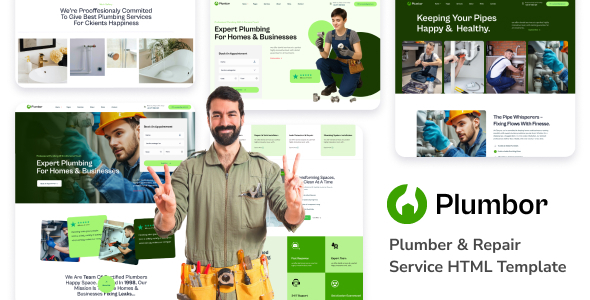
Project Overview
Plumbor is a multi-page HTML5 template designed for the plumbing repair service industry, featuring functional pages such as Home, Portfolio, Blog, Online Store, Appointment, and FAQ. Built on the Bootstrap 5 framework with a responsive layout, it is suitable for both PC and mobile devices, making it ideal for plumbers and repair companies to quickly build an official website.
Tech Stack
- Bootstrap 5.0.1 (core layout framework)
- jQuery (interaction and DOM manipulation)
- PHP (only mail-contact.php, used for handling contact form email sending)
- Open Sans / Open Sans Condensed (Google Fonts)
- Font Awesome (icon font)
Project Structure
text
plumborhtml-10/downloadable/
├── plumber/                    # Template main directory
│   ├── index.html              # Home page (style 1)
│   ├── index-2.html            # Home page (style 2)
│   ├── index-3.html            # Home page (style 3)
│   ├── about.html              # About Us
│   ├── contact.html            # Contact page
│   ├── appoinment.html         # Appointment page
│   ├── blog*.html              # Blog-related pages
│   ├── shop*.html              # Shop-related pages
│   ├── project*.html           # Project case pages
│   ├── team*.html              # Team pages
│   ├── faq.html                # Frequently Asked Questions
│   ├── mail-contact.php        # Email processing script
│   └── assets/
│       ├── css/                # Stylesheets (including SASS source files)
│       ├── js/                 # JavaScript scripts
│       ├── images/             # Image resources
│       └── sass/               # SASS source files
└── documentation/              # Official documentation directory
    ├── index.html
    ├── css/
    ├── js/
    ├── fonts/
    └── images/
Core File Description
plumber/index.html— Template main entry page (Home style 1)plumber/assets/css/style.css— Main stylesheetplumber/assets/js/script.js— Main script logicplumber/mail-contact.php— Contact form email sending backend scriptplumber/assets/sass/style.scss— SASS source file, can be compiled and customizeddocumentation/index.html— Official template usage documentation
Quick Start
- Deploy the
plumber/directory to a web server (e.g., Apache/Nginx) or open it via a local server such as VS Code Live Server - Access
index.htmldirectly in the browser to preview the effect - The contact form requires a PHP environment. Modify the
$torecipient email address inmail-contact.phpbefore deployment
Usage Suggestions
- Modify
assets/sass/style.scssto customize theme colors and styles, then compile to CSS - If the shop or blog pages are not needed, delete the corresponding HTML files directly to reduce redundancy
