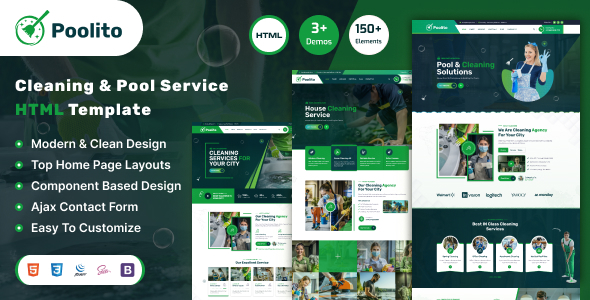
Project Introduction
ShinyStar / Cleaning is an HTML business template for the cleaning and pool service industry, built on Bootstrap. It includes 3 homepage styles and 11 inner pages (About, Service, Blog, Portfolio, Team, Contact, etc.), suitable for housekeeping, property management, and pool maintenance companies to quickly build their official website.
Tech Stack
- Bootstrap 5 (CSS framework / responsive layout)
- jQuery (DOM manipulation and interactions)
- GSAP (preloader animation in download version)
- Font Awesome 6 (icon library)
- Google Fonts (Rubik / Fuzzy Bubbles / Poppins)
- Static HTML + CSS + JS
Project Structure
text
poolitohtml-10/
├── download version/
│   ├── index.html          # Homepage (3 style variants)
│   ├── index-2.html
│   ├── index-3.html
│   ├── about.html
│   ├── blog.html
│   ├── blog-details.html
│   ├── contact.html
│   ├── service.html
│   ├── service-details.html
│   ├── portfolio.html
│   ├── portfolio-details.html
│   ├── team.html
│   ├── team-details.html
│   ├── 404.html
│   ├── mail.php
│   └── assets/
│       ├── css/style.css
│       └── js/main.js
└── documentation/          # Official documentation
Core File Description
download version/index.html— Homepage entry, includes 3 different visual style variantsdownload version/assets/css/style.css— Main stylesheet, contains all custom styles and responsive rulesdownload version/assets/js/main.js— Core interaction scripts (mobile menu, sticky header, scroll-to-top, GSAP animations)download version/assets/css/bootstrap.min.css— Bootstrap base framework stylesdownload version/mail.php— Form backend processing script (contact form data sending)documentation/index.html— Template official documentation page, includes installation instructions, page list, font reference paths
Quick Start
- Upload the contents of the
download versiondirectory to your server (usuallypublic_html) - Open
index.htmldirectly in a browser to preview the full effect - Edit
index.htmland inner pages to modify text and images; style overrides are done inassets/css/style.css
Usage Suggestions
- The download version is production-ready code; the documentation folder is for reference only and does not need to be deployed
- To integrate a backend form, deploy
mail.phpto the server with PHP environment available, and check the AJAX submission URL inmain.js
