Project Overview
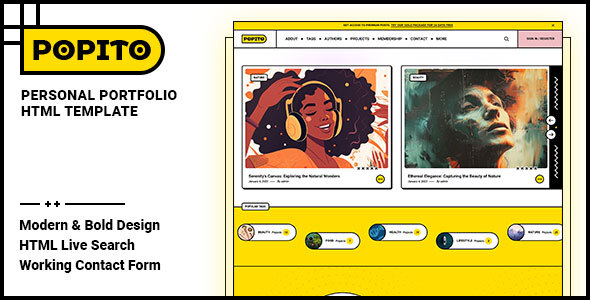
Popito is a personal portfolio HTML template developed by Frenify, built with pure static HTML/CSS/JS. It is suitable for showcasing personal work, blogs, or developer resume pages. The template includes 14 complete pages covering author introductions, article tags, membership systems, and other full-featured functionality.
Tech Stack
- HTML5 + CSS3 (pure static pages)
- JavaScript (jQuery)
- Google Fonts (Nunito + Roboto)
- SVG icons
- Responsive layout
Project Structure
text
popitohtml-10/
├── mainpack/
│   ├── doc/              # Official documentation (includes usage instructions)
│   │   ├── index.html
│   │   ├── css/style.css
│   │   └── js/
│   └── html/             # Actual website template
│       ├── index.html    # Homepage
│       ├── about.html    # About page
│       ├── contact.html  # Contact page
│       ├── membership.html  # Membership page
│       ├── authors.html  # Author list
│       ├── author.html   # Single author page
│       ├── single.html   # Article detail page
│       ├── sign-in.html  # Sign in page
│       ├── sign-up.html  # Sign up page
│       └── assets/css/   # Template style files
Core File Description
html/index.html— Template homepage entry pointhtml/assets/css/style.css— Main stylesheet, controls overall visual stylehtml/assets/css/responsive.css— Responsive adaptation stylesdoc/index.html— Official documentation (includes template installation tutorial, HTML structure explanation, etc.)doc/css/style.css— Documentation page stylesdoc/js/init.js— Documentation page anchor navigation script
Quick Start
- Extract the downloaded archive
- Navigate to the
mainpack/html/directory - Open
index.htmldirectly in a browser, or access it via a local server (e.g., XAMPP) - To modify content, edit the corresponding HTML file
Usage Recommendations
- The template uses Nunito and Roboto fonts. It is recommended to load them via Google Fonts CDN to ensure proper display
- Since SVG icons are heavily used, it is recommended to open the page through a localhost local server rather than double-clicking the HTML file directly
