Project Introduction
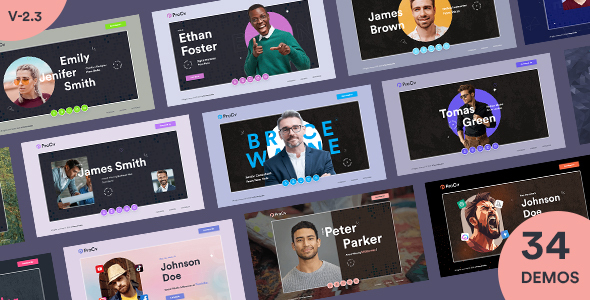
ProCv is a set of multi-theme resume and personal portfolio static HTML templates, featuring two independent themes for AI experts and designers. Each theme offers multiple page variants including light, dark, standard, and vCard styles, making it ideal for quickly building professional online resumes, portfolio showcases, or personal brand pages.
Tech Stack
- Bootstrap 5 (grid layout and base components)
- jQuery (interaction logic, animations, AJAX form submission)
- Font Awesome 5 (icon library)
- MeanMenu (responsive mobile navigation)
- MixItUp (portfolio category filtering)
- Animate.css / AOS (page animations)
- Google Fonts (Open Sans, Cormorant Garamond, etc.)
Project Structure
procvhtml-10/
├── documentation/
│   └── doc.html           # Usage documentation
├── main-files/
│   ├── 01_ai_expert/      # AI Expert theme
│   │   ├── index*.html     # Homepage variants (standard/dark/vCard)
│   │   ├── portfolio*.html # Portfolio pages
│   │   ├── blog*.html      # Blog pages
│   │   └── css/js/         # Styles and scripts
│   └── 02_designer/       # Designer theme
│       ├── index*.html
│       ├── portfolio*.html
│       └── css/js/
Core File Description
main-files/01_ai_expert/index.html— AI Expert theme main page, featuring Hero section, personal info, and skills displaymain-files/02_designer/index.html— Designer theme main page, with circular navigation buttons and parallax animationsmain-files/*/css/style.css— Core theme stylesheet defining colors, fonts, and layoutmain-files/*/js/main.js— Interaction logic: preloader animation, scroll-to-top, navigation menu, form submissionmain-files/*/portfolio*.html— Portfolio pages with MixItUp category filtering supportdocumentation/doc.html— Template customization and usage guide
Quick Start
This is a pure static project — simply open any HTML file directly in your browser to preview. For example:
# Open directly in browser
open main-files/01_ai_expert/index.html
# Or use a local server (recommended for proper font loading)
npx serve main-files/01_ai_expert
Usage Tips
The template features a dark/light dual-mode design. Modify CSS variables in style.css (such as --main-color and --primary-color) to quickly change brand colors. The contact form uses AJAX submission and requires you to integrate a backend service or replace it with a third-party form service (e.g., Formspree).
