Project Overview
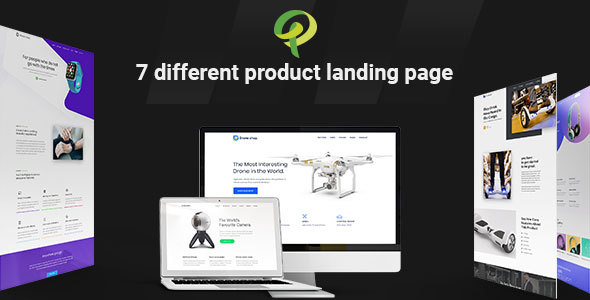
Prohub is a versatile product landing page HTML5 template featuring 7 complete demo pages, suitable for showcasing electronic products such as drones, watches, bicycles, headphones, hoverboards, cameras, and apps. The template is built on Bootstrap and comes with comprehensive documentation.
Tech Stack
- HTML5 / CSS3
- Bootstrap 4.2.0
- jQuery
- Font Awesome 4.5.0
- Google Fonts (Poppins, Muli, Open Sans, etc.)
- VenoBox (video lightbox), Owl Carousel, WOW.js (animations)
Project Structure
text
prohubhtml-10/
└── prohub-package/
    ├── prohub-documentation/      # Template usage documentation
    │   ├── index.html
    │   ├── css/
    │   └── img/
    └── prohub-html/               # Main template files
        ├── index.html             # All demo preview page
        ├── drone.html
        ├── watch.html
        ├── bike.html
        ├── headphone.html
        ├── livecam.html
        ├── hoverboard.html
        ├── proapp.html
        ├── style.css              # Main stylesheet
        └── assets/
            ├── css/
            ├── js/
            └── img/
Key Files Description
prohub-html/index.html— Template demo preview page, aggregating all product page entry pointsprohub-html/drone.html— Drone product landing page exampleprohub-html/hoverboard.html— Hoverboard product landing page exampleprohub-html/style.css— Main stylesheet defining global styles and color schemes for all product pagesprohub-documentation/index.html— Official documentation page with file structure and usage instructionsprohub-html/assets/css/— Directory for Bootstrap, responsive layout, and plugin styles
Quick Start
- Download and extract the template package
- Navigate to the
prohub-package/prohub-html/directory - Open
index.htmldirectly in a browser to view all demos - Select a product page of interest (e.g.,
drone.html) and modify the content in an editor
Usage Recommendations
This template adopts a single-page, multi-section design, making it suitable for quick conversion into a landing page. It is recommended to customize the color variables in style.css based on the selected product page style (the template's primary colors are blue #2260ff and #1da1f2), and replace the image resources in assets/img/ to get it ready for deployment.
