Project Overview
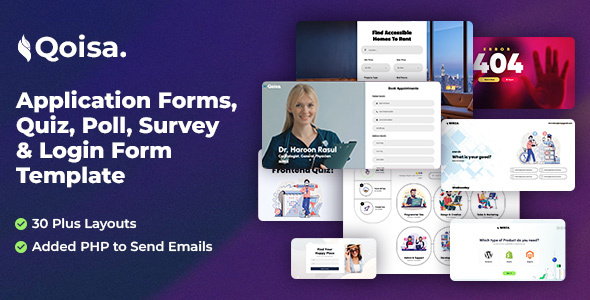
Qoisa is a collection of HTML5 form templates, including page examples for various form types such as surveys, polls, quizzes, and login forms. It is suitable for quickly building online form-based projects and provides a complete frontend page structure.
Tech Stack
- HTML5 + CSS3 (static pages)
- jQuery (form interaction and navigation)
- Font Awesome 6 (icon library)
- Google Fonts (Jost, Encode Sans, Lato fonts)
Project Structure
text
qoisaforms-10/
└── qoisa_placehold/
    ├── documentation/          # Template documentation
    │   ├── index.html          # Documentation homepage
    │   ├── css/                # Stylesheets
    │   ├── img/                # Image assets
    │   ├── js/                 # JS scripts
    │   └── syntax-highlighter/ # Code highlighting
    └── templates/             # Form template collection
        ├── 404Pages/
        ├── ComingSoon/
        ├── appHeroPage/
        ├── domainSale/
        ├── forms/
        ├── getServices/
        ├── newsLetter/
        ├── poll/
        ├── quiz/
        └── survey/
Core File Description
documentation/index.html— Complete template usage documentation, including installation instructions and structure overviewdocumentation/css/main.css— Main stylesheet defining overall visual style and responsive layoutdocumentation/js/custom.js— Navigation interaction script based on jQuery singlePageNavdocumentation/css/normalize.min.css— CSS reset and normalizationdocumentation/css/font-awesome.min.css— Font Awesome icon stylestemplates/— Actual pages for various form templates, ready for reference or reuse
Quick Start
- Unzip the downloaded archive
- Open
documentation/index.htmlin a browser to view the full documentation - Select the appropriate form page from the
templates/directory and modify it as needed
Usage Suggestions
The forms in the templates are frontend examples only. After form submission, you need to integrate your own backend interface (the documentation mentions support for PHP email sending). During development, you can directly reference pages under templates/, copy them to your server root directory, and modify them for use.
