Project Overview
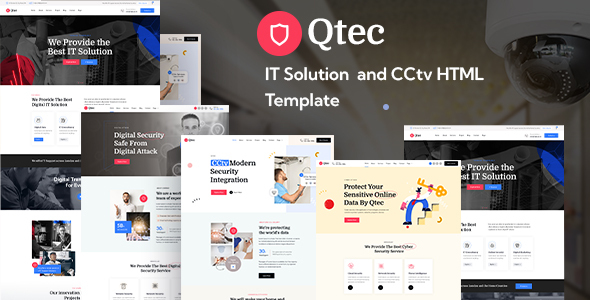
Qtec is a static HTML website template designed for security surveillance companies. It provides multiple business page templates including Home, About, Blog, Services, Projects, and Team, making it suitable for security, weak current engineering, and smart city enterprises to quickly build their official websites.
Tech Stack
- HTML5 + CSS3 (Static Pages)
- Bootstrap 3.x / 5.x
- jQuery
- Custom Icon Font (icomoon)
- Google Fonts (Kumbh Sans, Domine, Lato)
Project Structure
text
qtec-html-package-7-6-2022/
├── qtec-html-files/          # Main website pages
│   ├── index.html             # Homepage (4 variants: index-2/3/4)
│   ├── about.html
│   ├── services.html
│   ├── projects.html
│   ├── contact.html
│   └── assets/                # CSS, JS, images and other resources
├── qtec-documentations/       # Template usage documentation
│   ├── index.html
│   └── css/
├── qtec-font-icons/           # Basic icon fonts
│   ├── style.css
│   └── fonts/
└── qtec-icons-two/            # Extended icon fonts
    ├── style.css
    └── fonts/
Key File Descriptions
qtec-html-files/index.html— Main homepage template, includes navigation, carousel, service showcase and other modulesqtec-html-files/assets/css/qtec.css— Main stylesheet, defines overall visual styleqtec-documentations/index.html— Official documentation, includes HTML structure, CSS instructions, and configuration guideqtec-font-icons/style.css— Business icon set (camera, lock, shield and other security-related icons)qtec-icons-two/style.css— Auxiliary icon set, includes arrows, forms, location and other common icons
Quick Start
Pure static template, no dependencies required:
- Open
qtec-html-files/index.htmldirectly in your browser - Or run using any local server (e.g.,
npx serve qtec-html-files)
Usage Suggestions
The template provides 4 homepage options that can be selected based on business focus; when updating content, remember to synchronize modifications to images in assets/images/ and configuration paths in assets/vendors/.
