Project Overview
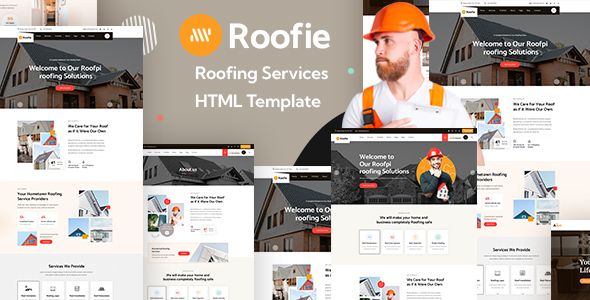
Roofie is a business showcase HTML template designed for roofing repair/installation service providers. It includes complete pages such as Home, About, Service Details, Case Studies, Blog, and Contact Form, with two built-in homepage layout options, suitable for direct modification and deployment as a service company website.
Tech Stack
- Bootstrap 3.3.4 (CSS framework and grid system)
- Font Awesome 4.x (icon library)
- IcoMoon (custom icon font, packaged in roofie-icons/)
- jQuery (interactive scripts)
- Fancybox (image lightbox)
- Owl Carousel (carousel component)
- Google Fonts (DM Sans, Catamaran, Kumbh Sans)
Project Structure
text
roofie-html-package/
├── roofie-documentations/     # Official help documentation
│   ├── index.html
│   ├── css/                   # Documentation styles (includes bootstrap.css)
│   └── images/
├── roofie-html-files/         # Core template files
│   ├── index.html             # Homepage 01
│   ├── index-2.html            # Homepage 02
│   ├── about.html / team.html / faq.html
│   ├── services.html / services-2.html
│   ├── roof-repair.html / roof-renovation.html / roof-instalaltion.html
│   ├── projects.html / projects-2.html / project-detail.html
│   ├── blog*.html              # Blog list + details
│   ├── contact.html
│   └── assets/                 # Business CSS/JS/image resources
└── roofie-icons/              # Custom icon fonts
    ├── style.css              # Icon class definitions
    ├── selection.json         # IcoMoon export configuration
    └── demo.html               # Icon preview and character mapping
Core File Description
roofie-html-files/index.html— Homepage entry, includes service introduction, case studies, and customer reviews sectionsroofie-html-files/contact.html— Contact page, includes form and map placeholderroofie-html-files/assets/css/roofie.css— Main stylesheet, integrates all business stylesroofie-icons/style.css— IcoMoon icon font class definitions, includes business icons for roof, solar panel, arrows, etc.roofie-documentations/index.html— Official documentation describing HTML structure, CSS organization, and third-party configuration methodsroofie-html-files/assets/vendors/— Third-party dependencies (Bootstrap, jQuery UI, Fancybox, Owl, etc.)
Quick Start
- Open
roofie-html-files/index.htmldirectly in a browser to preview. - For a local server environment (recommended):
bash
# Use any static server npx serve roofie-html-files # or python python -m http.server 8080 - Icon replacement: Edit
roofie-icons/selection.jsonand import into IcoMoon App to regenerate the icon set.
Usage Suggestions
- The template includes many placeholder images and contact information that need to be replaced with real data; the form section (contact.html) does not include backend logic and requires integration with an email service or custom API.
- roofie-icons is a standalone icon font; replacing it with Font Awesome's same-name classes will not automatically work. It is recommended to keep the existing icons or extend them via IcoMoon.
