Project Overview
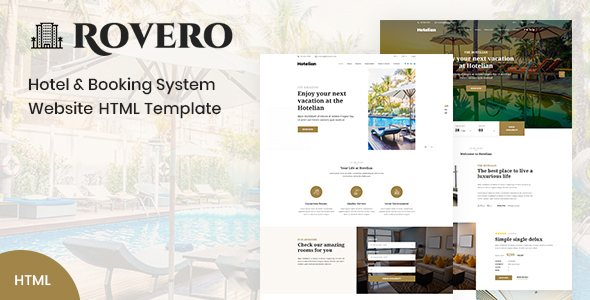
Rovero is a hotel and booking service website HTML template built on the Bootstrap framework. It includes complete pages such as homepage, room listings, booking process, blog, and contact page, making it suitable for quickly building hotel, B&B, or travel booking websites. The template is developed with static HTML and can be used directly without any build tools.
Tech Stack
- HTML5 + CSS3 (static pages)
- Bootstrap 5 (grid, components, responsive)
- jQuery (interactive logic)
- Font Awesome 6 (icons)
- AOS / Animate.css (page animations)
- Slick Slider (carousel)
- Leaflet (maps, if needed)
- Nice Select / jQuery UI (form styling)
Project Structure
text
roverohtml-10/
├── documentation/          # Template usage documentation
│   ├── doc.html
│   ├── css/
│   ├── img/
│   └── js/
└── rovero/                  # Template main files
    ├── index.html           # Homepage
    ├── about.html           # About
    ├── rooms.html           # Room listings
    ├── rooms-details.html   # Room details
    ├── booking.html         # Booking
    ├── checkout.html        # Checkout
    ├── confirmation.html    # Confirmation
    ├── blog.html            # Blog list
    ├── blog-details.html    # Blog details
    ├── contact.html         # Contact
    ├── css/
    ├── images/
    └── fonts/
Key File Descriptions
rovero/index.html— Homepage entry, includes Banner, room search, popular rooms, and other sectionsrovero/css/style.css— Main stylesheet, defines theme color (#a18549), fonts, typography, and all component stylesrovero/css/bootstrap.min.css— Bootstrap framework core CSSrovero/booking.html— Booking page, handles room selection and user information inputrovero/checkout.html— Checkout process pagerovero/confirmation.html— Booking confirmation page
Quick Start
- Open
rovero/index.htmldirectly in a browser to preview the full effect; - To run with a local server (recommended), execute the following command in the
rovero/directory:Then visitbashpython -m http.server 8080http://localhost:8080
Usage Suggestions
- For production use, replace placeholder content such as the logo, contact information, and room data with real information;
- CSS variables are centralized in the
:rootblock ofstyle.css, allowing you to uniformly adjust the theme color (--theme-color) to match your brand.
