Project Overview
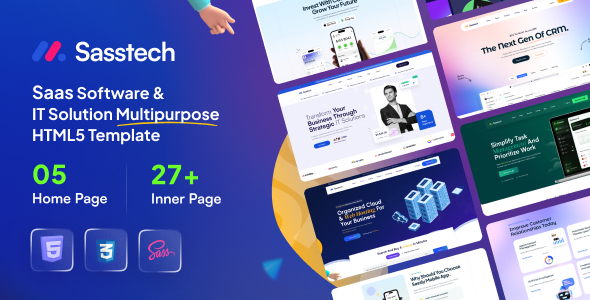
SassTech is a versatile HTML template designed for IT solutions, SaaS software, and internet service companies. It offers 5 homepage variants (IT Solutions, Web Hosting, Task Management, CRM Software, App Landing Page) along with a complete page system including About, Blog, Shop, Pricing, Login/Register, Cart, etc., making it ideal for quickly building tech company websites or product landing pages.
Tech Stack
- HTML5 + CSS3 (Static Pages)
- Bootstrap 5 (Responsive Layout Framework)
- Sass/SCSS (CSS Preprocessor)
- jQuery (Interactive Scripts)
- AOS (Scroll Animations), Swiper (Carousel), Magnific Popup (Lightbox)
- Google Fonts (Fonts: Jost, Poppins, Vidaloka, etc.)
Project Structure
text
sasstechhtml-10/
├── SassTech/                 # Template main directory
│   ├── index.html            # Homepage (IT Solution)
│   ├── index-2~5.html        # Other homepage variants
│   ├── about.html            # About page
│   ├── blog.html             # Blog list
│   ├── blog-details.html     # Blog details
│   ├── shop.html             # Product list
│   ├── shop-details.html     # Product details
│   ├── cart.html             # Shopping cart
│   ├── checkout.html         # Checkout
│   ├── pricing-plan.html     # Pricing page
│   ├── contact.html          # Contact page
│   ├── login.html / register.html
│   ├── faq.html / policy-privacy.html
│   └── assets/
│       ├── css/              # Compiled CSS
│       ├── sass/             # SCSS source files
│       ├── js/               # JavaScript scripts
│       └── images/            # Image resources
├── Documentation/            # Official documentation (HTML format)
└── THEMELOCK*                # Source identification file
Core File Description
SassTech/index.html— Homepage entry point, integrating navigation, carousel, featured services, and all modulesSassTech/assets/sass/main.scss— SCSS entry file, organized by abstract / components / layout / partials layersSassTech/assets/css/main.css— Compiled complete stylesheet, including CSS variables, utility classes, and all component stylesSassTech/assets/js/main.js— Main interaction scripts (mobile menu, back to top, Toast notifications, carousel, etc.)SassTech/assets/css/satoshi.css— Satoshi font icon stylesDocumentation/index.html— Official documentation covering HTML structure, CSS specifications, JS configuration, and customization instructions
Quick Start
- Open
SassTech/index.htmldirectly in your browser to preview the complete effect; - To modify styles, navigate to the
assets/sass/directory, edit SCSS files, then compile output toassets/css/; - Images, icons, and other resources are located under
assets/images/andassets/fonts/— replace the corresponding files to update brand assets.
Usage Recommendations
- This template consists of pure static pages with no backend dependencies. For deployment, simply upload the contents of the
SassTechfolder to any web server or static hosting platform; - The template provides multiple homepage variants and a complete page structure. It is recommended to select and customize pages based on your actual business scenario to keep the code streamlined.
