Project Overview
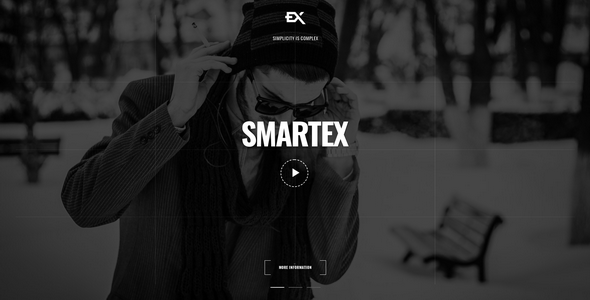
Smartex is a single-page portfolio template offering 6 homepage visual modes (slideshow, video background, single image, etc.), suitable for individuals or studios to showcase work and skills.
Tech Stack
- HTML5 + CSS3 + JavaScript (vanilla + jQuery)
- PHP (contact form backend)
- Third-party plugins: Slick, Magnific Popup, Owl Carousel, Lity
Project Structure
text
smartexhtml-10/
├── Smartex-v1-0-Template/     # Main template directory
│   ├── index-*.html            # 6 homepage variants
│   ├── contact.php             # Form processing
│   ├── css/                    # Styles (including plugin styles)
│   ├── js/                     # Scripts
│   ├── img/                    # Image assets
│   ├── fonts/                  # Icon fonts
│   └── photoswipe/             # Image lightbox
└── Smartex-v1-0-Documentation/ # Usage documentation
Key Files
index-*.html— 6 homepage layouts (slideshow, video, single image, etc.)css/style.css— Main stylesheet (includes all component styles)js/smartex.js— Interaction logiccontact.php— Contact form processingcss/plugins.css— Third-party plugin stylesjs/plugins.js— Third-party plugin scripts
Quick Start
- Open
Smartex-v1-0-Template/index-HERO-SLIDESHOW-ZOOM-FADE.htmlto view the slideshow homepage - To use the contact form, configure the email address in
contact.phpand deploy to a PHP environment - Image paths are located in the
img/background/directory
Usage Tips
- When replacing images, maintain the
background/directory structure to ensure correct CSS paths - The video background version requires additional configuration of video files or embed links; refer to the documentation to modify the HTML structure
