Project Overview
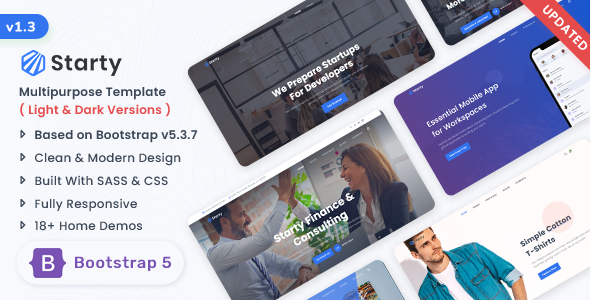
Starty is a versatile HTML5 template built on Bootstrap 5, featuring over 40 pre-built pages covering business, SaaS, blog, portfolio, restaurant, event, and other scenarios. It supports both multi-page and single-page modes, making it ideal for quickly building commercial websites.
Tech Stack
- Bootstrap 5
- jQuery
- Material Design Icons
- Unicons (iconscout)
- Google Fonts (Poppins, Noto Sans, Kaushan Script, Libre Baskerville)
- PHP (Contact form)
Project Structure
text
startyhtml-120/Starty_v1.2.0/
├── Documentation/            # Template documentation (with standalone examples)
│   ├── css/
│   │   ├── bootstrap.min.css
│   │   └── style.css
│   └── js/
│       └── app.js
└── HTML/                    # Main template directory
    ├── index.html           # Showcase page (entry point for all demos)
    ├── css/
    │   └── style.min.css    # Merged main stylesheet
    ├── js/
    │   └── app.js            # Interactive logic (navigation, scrolling, loading animations, etc.)
    ├── images/
    └── *.html                # 40+ page templates
Key Files
HTML/index.html— Showcase page listing all demo entry pointsHTML/css/style.min.css— Merged main stylesheet with Bootstrap customizations and component stylesHTML/js/app.js— Core interactions: preloader animation, responsive navigation, sticky header, back-to-top, menu highlightingHTML/images/— Image assets used across pagesDocumentation/index.html— Template usage documentation (includes structure notes and customization tips)
Quick Start
Open startyhtml-120/Starty_v1.2.0/HTML/index.html directly in your browser to preview all demos. Once you've selected the desired page (e.g., index-business.html), customize it by editing the text, images, and links in the corresponding HTML file.
To enable the contact form, deploy the HTML/ directory to a PHP-enabled web server and update the recipient email address in contact.php.
Usage Tips
- With numerous pages available, start by browsing
index.htmlto explore each demo's visual style, then choose the most suitable page as your starting point - All CSS variables and color definitions are grouped at the top of
style.min.css— modify the primary theme color (e.g.,#3274f0) for quick rebranding
