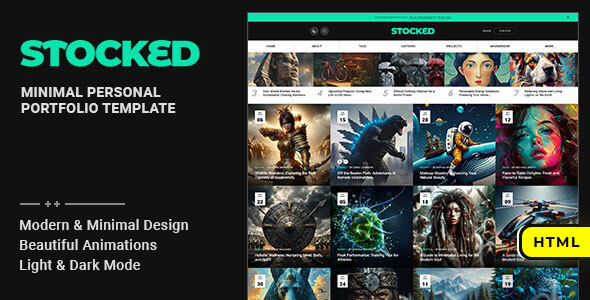
Project Introduction
Stocked is a static personal portfolio/blog HTML template designed for creators/developers. It provides complete frontend pages (including homepage, author, portfolio, membership, contact, etc.), suitable for quickly building a personal brand site. The template features built-in dark/light theme switching, responsive layout, and SVG icon support, and can be deployed directly without any build tools.
Tech Stack
- HTML5 / CSS3 (native styles, no preprocessors)
- jQuery (interaction logic)
- Google Fonts (Heebo / Kanit / Playfair Display, etc.)
- SVG icons
Project Structure
text
stockedhtml-10/
├── mainpack/
│   ├── doc/                    # Template usage documentation
│   │   ├── index.html
│   │   ├── css/
│   │   │   ├── plugins.css
│   │   │   └── style.css
│   │   ├── js/
│   │   │   ├── ie8.js
│   │   │   ├── init.js
│   │   │   ├── jquery.js
│   │   │   └── plugins.js
│   │   └── img/
│   └── html/                   # Actual template pages
│       ├── index.html
│       ├── 404.html / about.html / contact.html ...
│       ├── assets/
│       │   └── css/            # Main template styles (base/plugins/style/responsive)
│       └── img/
Key File Descriptions
html/index.html— Site homepage entry, includes core layout elements like header navigation, theme switching, and search modalhtml/assets/css/style.css— Main template core stylesheet, defines overall visual stylehtml/assets/css/base.css— Base reset and global variables (e.g., color theme variables)doc/index.html— Official usage documentation, includes installation steps, HTML structure, customization tips, etc.doc/css/style.css— Documentation page's own styles (sidebar + content layout)doc/js/init.js— jQuery anchor navigation script (onePageNav)
Quick Start
- Extract the archive and navigate to the
mainpack/htmldirectory - Open
index.htmldirectly in a browser, or access it via a local server (e.g., XAMPP / VS Code Live Server) - If SVG icon colors appear abnormal, open the file using localhost instead of double-clicking
- For deployment, upload the contents of the
htmldirectory to your server's root directory
Usage Tips
- The template includes 23 HTML pages covering blog, author, portfolio, membership, and other scenarios — can be trimmed or extended as needed
- To customize theme colors, mainly modify CSS variables (e.g.,
--mc) inassets/css/base.css; the dark/light theme logic is controlled by JS writing to thedata-site-skinattribute - The documentation directory (
doc/) can be kept for future reference but does not need to be uploaded to the production environment
