Project Overview
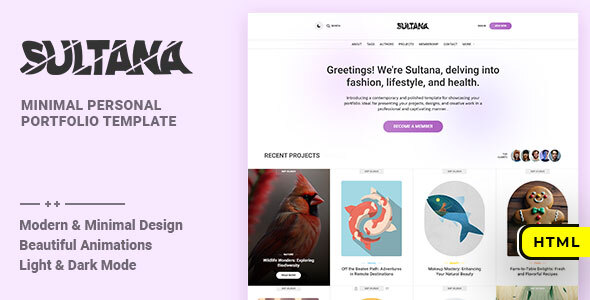
Sultana is a minimalist personal portfolio/blog HTML template developed by Frenify. It includes complete frontend pages (home, article details, author, tags, portfolio showcase, etc.) along with membership registration and login functionality. It supports light/dark theme switching and is suitable for building personal brand websites or content creation platforms.
Tech Stack
- HTML5 — Semantic structure
- CSS3 — Custom properties (CSS Variables), Flexbox/Grid layouts
- JavaScript — jQuery, GSAP animation library
- SVG — Icon system
- Third-party libraries — Owl Carousel, Waypoints
Project Structure
text
sultanahtml-10/mainpack/
├── doc/               # Template usage documentation
│   ├── index.html
│   ├── css/           # Documentation styles
│   ├── js/            # Documentation scripts
│   └── img/           # Documentation images
└── html/              # Actual template files
    ├── index.html     # Home page
    ├── about.html      # About page
    ├── contact.html    # Contact page
    ├── membership.html # Membership page
    ├── projects.html   # Portfolio page
    ├── single.html     # Article detail page
    ├── author.html     # Author detail page
    ├── tag.html        # Tag detail page
    ├── authors.html    # Author list page
    ├── tags.html       # Tag list page
    ├── account.html    # Account page
    ├── sign-in.html    # Login page
    ├── sign-up.html    # Registration page
    ├── 404.html        # Error page
    ├── css/            # Main stylesheets
    ├── js/             # Interactive scripts
    └── img/            # Static image assets
Core File Descriptions
html/index.html— Website homepage with navigation, featured articles list, and footerhtml/css/style.css— Main stylesheet defining global variables, layouts, and light/dark themeshtml/css/base.css— Reset styles and base typographyhtml/js/init.js— Page initialization script handling theme switching and other interactionsdoc/index.html— Official template documentation with installation and customization guideshtml/modal/contact.php— Contact form backend processing (requires PHP environment)
Quick Start
- Open
sultanahtml-10/mainpack/html/index.htmldirectly in a browser, or deploy to a local server (e.g., XAMPP / Live Server) - For documentation, open
mainpack/doc/index.htmllocally and refer to the customization guide
Usage Tips
SVG icons in the template require a local server environment to run properly. It is recommended to use XAMPP or VS Code Live Server. Dark mode state is saved in localStorage; you can globally switch themes by modifying the data-site-skin attribute.
