Project Overview
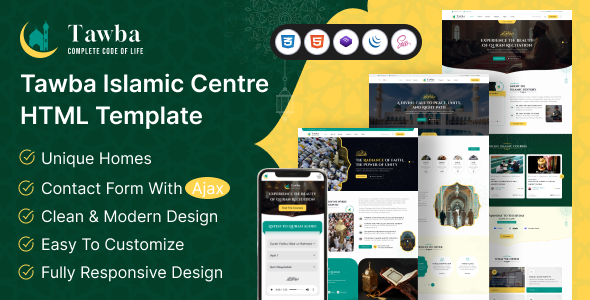
tawba is an HTML template designed for Islamic Centers, built with Bootstrap 5. It includes complete pages for home, blog, events, courses, charity, shop, prayer times, and more, making it suitable for official websites of mosques, Islamic educational institutions, or non-profit organizations.
Tech Stack
- Framework: Bootstrap 5
- Styling: SCSS + CSS (
style.css) - Icons: Font Awesome 6 Pro
- Fonts: Google Fonts (Playfair Display + Inter)
- Interactivity: jQuery
- Other: Swiper Slider, Magnific Popup, NiceSelect
Project Structure
text
tawbahtml-10/
├── documentation/          # Template usage documentation
│   ├── index.html
│   ├── css/
│   └── images/
├── download-version/       # Production version
│   ├── index.html          # Homepage entry
│   ├── home-*.html         # 3 homepage variants
│   ├── blog*.html          # Blog list/details
│   ├── event*.html         # Event list/details
│   ├── courses-details.html
│   ├── charity*.html
│   ├── sermon*.html
│   ├── shop*.html          # Shop pages
│   ├── prayer-times.html
│   ├── contact.html
│   ├── mail.php            # Email handling
│   └── assets/
│       ├── css/style.css
│       ├── js/main.js
│       └── img/
Core File Description
download-version/index.html— Entry homepage (Al Noor Haven style)assets/js/main.js— Main script with 20+ functional modules including mobile menu, scroll-to-top, carousel, form submission, etc.assets/css/style.css— Main stylesheet using CSS variables for theme color (--theme-color: #374868)mail.php— Backend email processing script for contact formsdocumentation/index.html— Complete template usage documentation (including HTML/CSS/JS structure explanation)home-*.html— Three homepage templates, can be selected or combined as needed
Quick Start
Pure static project, no dependencies to install:
- Open
download-version/index.htmldirectly in your browser to preview the homepage - All functional pages are located in the
download-version/root directory; copy and modify as needed - For email form functionality, deploy the project to a PHP-supporting web server
Usage Suggestions
The template provides 30+ pages. It is recommended to first select a suitable homepage style from home-*.html, then extend other pages using the same Header/Footer structure. To change the theme color, simply adjust the CSS variables in assets/css/style.css for a global skin change.
