Project Overview
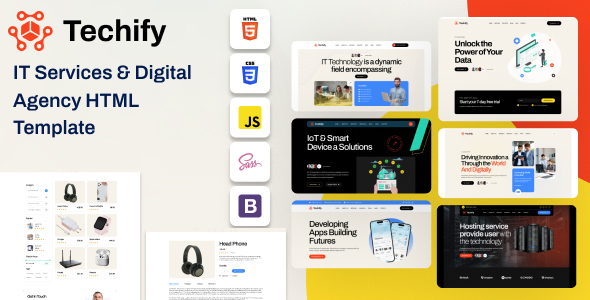
Techify is a multi-page HTML template designed for technology and IT service companies. It includes complete page modules such as homepage, services, portfolio, blog, shop, and team, along with detailed documentation. Ideal for quickly building a tech company website or landing page.
Tech Stack
- Bootstrap 5.x (responsive layout framework)
- Swiper.js (carousel and slideshow)
- jQuery 3.7.x (DOM manipulation and interactions)
- Magnific Popup (image/video lightbox)
- Nice Select (custom dropdown)
- MeanMenu (mobile hamburger menu)
- WOW.js / Animate.css (scroll animations)
Project Structure
text
techify/
├── documentation/          # Template usage documentation
│   ├── index.html
│   └── assets/
│       ├── css/
│       │   ├── style.css
│       │   ├── responsive.css
│       │   └── elegantFont.css
│       ├── js/
│       │   ├── main.js
│       │   └── onpage-menu.js
│       ├── images/
│       └── fonts/
└── techify/               # Template main files
    ├── index.html         # Homepage (6 layout variations)
    ├── about.html
    ├── service.html
    ├── project.html
    ├── blog.html
    ├── shop.html
    ├── team.html
    ├── contact.html
    ├── faqs.html
    └── assets/
        ├── css/
        │   └── main.css
        └── js/
            └── main.js
Core File Descriptions
techify/index.html— Main homepage entry filetechify/assets/css/main.css— Global styles, defines theme colors, buttons, cards, and other style variablestechify/assets/js/main.js— Interaction logic, including carousel, counter, mobile menu, etc.documentation/index.html— Template documentation page with instructions for customizing colors, images, and email settingstechify/shop.html— Shop listing page templatetechify/contact.html— Contact page template
Quick Start
- Navigate to the template directory:
cd techify/techify - Open with a local server (recommended), or directly open
index.htmlin your browser:bash# Using Python python -m http.server 8080 # Or use VS Code Live Server extension to run directly - Documentation location:
techify/documentation/index.html, can be opened directly in a browser for reference
Usage Tips
- When deploying, replace placeholder images in
assets/img/with real assets, and adjust CSS variables like--themeinmain.cssto customize the theme color. - The template includes 6 homepage variations. It is recommended to choose one based on your industry style as a baseline, then gradually replace the content.
