Project Overview
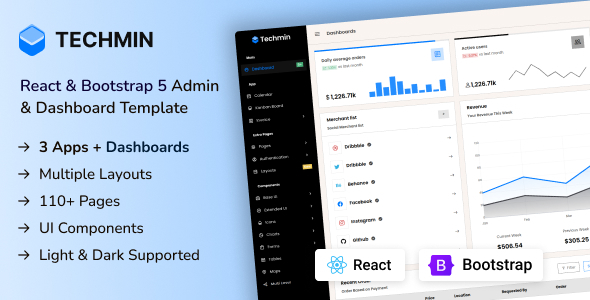
Techmin is a responsive admin dashboard template built with Bootstrap 5, featuring a rich set of UI components and charting capabilities. It is suitable for building CRM, CMS, or admin backend systems. The template supports a Gulp build pipeline for quick theme and layout customization.
Tech Stack
- Bootstrap 5 (core CSS framework)
- Gulp 4 (build automation)
- Sass (style preprocessing)
- Chart.js / ApexCharts (chart visualization)
- DataTables (table plugin)
- jQuery (DOM manipulation)
Project Structure
text
Techmin_v1.0/Admin/
├── gulpfile.js          # Gulp build configuration
├── package.json         # Project dependencies
├── src/                 # Source code directory
│   ├── index.html       # Main dashboard page
│   ├── pages-starter.html  # Blank starter page example
│   ├── charts-apex.html # ApexCharts chart example
│   ├── tables-datatable.html  # DataTables table example
│   ├── form-elements.html    # Form component example
│   └── layouts-*.html   # Various layout variants
└── Documentation/       # Official documentation (can be opened directly in browser)
Core File Description
gulpfile.js— Gulp task definitions, supporting hot reload, minification, RTL conversion, and other build processespackage.json— Declares 40+ dependencies including Bootstrap 5, Chart.js, ApexCharts, DataTables, etc.src/index.html— Main dashboard template showcasing components like statistics cards, line charts, and merchant listssrc/pages-starter.html— Modular page template example using@@includesyntaxsrc/layouts-*.html— Multiple layout options (collapsible sidebar, Boxed, RTL, etc.)
Quick Start
bash
# Install dependencies
yarn install

# Start development server (hot reload)
gulp

# Production build (minified output to dist)
gulp build
Static pages can also be previewed by opening src/index.html directly in a browser.
Usage Recommendations
- For secondary development, prioritize the modular structure of
src/pages-starter.html, using@@includeto reuse common parts like top navigation, sidebar, and footer - The template includes built-in RTL support; run
gulp build --rtlto quickly generate a right-to-left layout version for languages like Arabic
