Project Overview
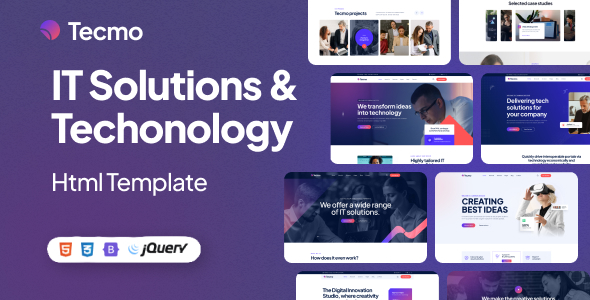
Tecmo is a set of static HTML website templates designed for IT services and technology companies. It includes multiple complete pages such as homepage, portfolio, blog, team, and customer service, making it suitable for quickly building corporate websites or business showcase sites.
Tech Stack
- HTML5 + CSS3 + Vanilla JavaScript
- Bootstrap 5 (responsive layout framework)
- Font Awesome 6 (icon library)
- Swiper (carousel/slider component)
- MeanMenu (mobile menu)
- Magnific Popup (image lightbox)
- Animate.css (animation effects)
Project Structure
text
tecmohtml-10/
├── buyer-file/
│   ├── documentation/        # Template usage documentation
│   │   ├── index.html
│   │   └── assets/
│   └── main-file/           # Main template files
│       ├── index.html       # Homepage (5 variants: index~index-5.html)
│       ├── about.html       # About Us
│       ├── blog*.html       # Blog list/detail/sidebar
│       ├── contact.html     # Contact page
│       ├── error.html       # 404 error page
│       ├── faqs.html        # Frequently Asked Questions
│       ├── portfolio*.html  # Portfolio list/detail
│       ├── pricing-plan.html # Pricing plans
│       ├── services*.html   # Services list/detail
│       ├── team*.html       # Team introduction/member details
│       ├── testimonials.html # Customer testimonials
│       └── assets/
└── THEMELOCK.COM.url
Key Files Description
main-file/index.html— Homepage entry point, includes 5 visual variantsmain-file/portfolio.html— Portfolio/case study showcase pagemain-file/services.html— Service offerings introductionmain-file/assets/css/main.css— Main stylesheet covering all components and page layoutsmain-file/assets/js/main.js— Interactive logic (preloader, menu, lightbox, etc.)documentation/index.html— Official documentation with HTML/CSS/JS structure explanations and customization guide
Quick Start
Simply open buyer-file/main-file/index.html in your browser, or deploy it to any static file server (such as nginx, http-server) to preview all pages.
Usage Suggestions
- For production use, it is recommended to deploy to a server or use the VS Code Live Server extension to avoid cross-origin restrictions some browsers impose on local files
- Modify CSS variables in
main.cssto quickly change the theme color; image assets are stored in theassets/img/directory — replace the corresponding files to update brand visuals
