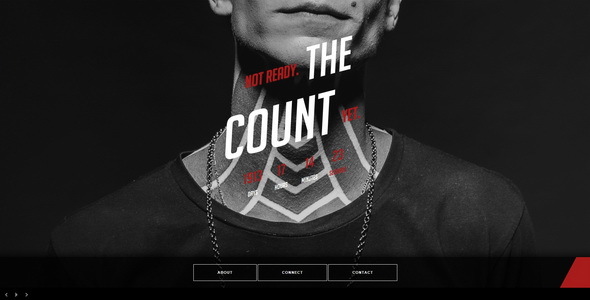
Project Overview
The Count is a responsive "Coming Soon" website template featuring a countdown timer, dynamic menu panel, contact form, and about us section. It offers two background modes: image slideshow (Supersized) and YouTube video (YTPlayer), making it suitable for product launches, event announcements, and similar scenarios.
Tech Stack
- HTML5 / CSS3 (static pages)
- jQuery (interactions and plugins)
- Supersized (image slideshow background)
- YTPlayer (YouTube video background)
- Skeleton CSS (responsive grid)
- Google Fonts (Bebas Neue, Big Noodle Titling Oblique)
- PHP (contact form backend)
Project Structure
text
thecounthtml-10/
├── The-Count-v1-1-Template/
│   ├── image-background/          # Image background version
│   │   ├── index.html
│   │   ├── send.php               # Email sending
│   │   ├── css/                   # Stylesheets
│   │   ├── js/                    # Scripts
│   │   └── twitter/               # Twitter scrollbar
│   └── video-background/          # Video background version (with YTPlayer)
│       ├── index.html
│       ├── YTPlayer/
│       ├── css/
│       └── js/
└── The-Count-v1-1-Documentation/  # Official documentation
    └── index.html
Core Files Description
image-background/index.html— Main page for image background versionvideo-background/index.html— Main page for video background versioncss/style.css— Main stylesheet (includes fonts, layout, animations, etc.)js/countdown.js— Countdown timer logicjs/contact-form.js— Contact form handlingsend.php— Form data email sending (requires server configuration)
Quick Start
These are pure static pages. Simply open image-background/index.html or video-background/index.html in your browser to preview. For form functionality, deploy the files to a PHP-enabled web server and configure the recipient email in send.php.
Usage Tips
- The image version is suitable for showcasing multiple works in a slideshow; for the video version, replace the YouTube video ID in
index.html(search forkWQLkrYxmpcand replace with your video) - Configure the countdown target time in
js/countdown.js - Font files must be deployed along with the paths specified in the CSS, otherwise fonts may fail to load
