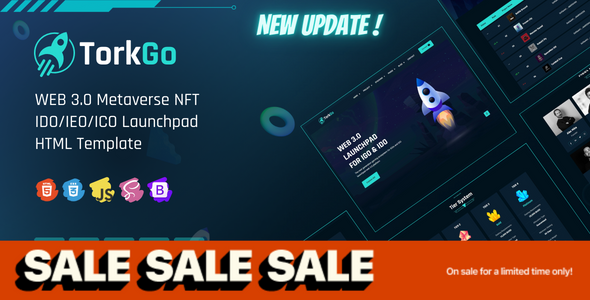
TorkGo Web 3 Metaverse IDO Launchpad Template
TorkGo is an IDO/IEO/INO Launchpad HTML template focused on Web 3 and metaverse scenarios, featuring 3 homepage variants and over 24 complete pages, suitable for crypto projects to quickly build a Launchpad platform official website.
Tech Stack
- HTML5 + CSS3 (Static Site)
- Bootstrap 5.x (Responsive Layout)
- Font Awesome (Icon Library)
- AOS (Scroll Animation)
- Swiper (Carousel)
- jQuery (Interaction Logic)
Project Structure
text
torkgo/
  index.html          # Homepage 1
  index-2.html        # Homepage 2
  index-3.html        # Homepage 3
  project.html         # Project List
  project-2.html       # Project List 2
  project-details.html # Project Details
  apply-project.html   # Apply Project
  stacking.html        # Staking
  farming.html        # Liquidity Farming
  roadmap.html        # Roadmap
  roadmap-2.html
  kyc.html            # KYC Verification
  tier.html           # Tier System
  leaderboard.html    # Leaderboard
  tokenomics.html     # Tokenomics
  team.html           # Team
  team-member.html    # Team Member
  signup.html / login.html / reset-pass.html
  contact.html / faq.html / 404.html
  assets/             # css/js/images/fonts
torkgo-documentation/ # Documentation
Core File Description
torkgo/index.html— Main homepage, top navigation with multi-level dropdown menutorkgo/assets/css/style.css— Theme core stylesheettorkgo/project.html— Project display page with filtering functionalitytorkgo/stacking.html— Staking rewards calculation and displaytorkgo/apply-project.html— Project application formtorkgo-documentation/index.html— Complete configuration and customization documentation
Quick Start
- Open
torkgo/index.htmldirectly in a browser to preview - For local server: run
npx serve torkgoor use VS Code Live Server extension - To modify content: edit text and image paths directly in the corresponding HTML files
Usage Suggestions
- Primarily intended for cryptocurrency/blockchain project teams; replace placeholder images in
assets/imageswith actual project logos and graphics - Replace the email address (
support@thetork.com) in pages with actual contact information - The documentation site (
torkgo-documentation) can be deleted or deployed as a standalone help page
