Project Overview
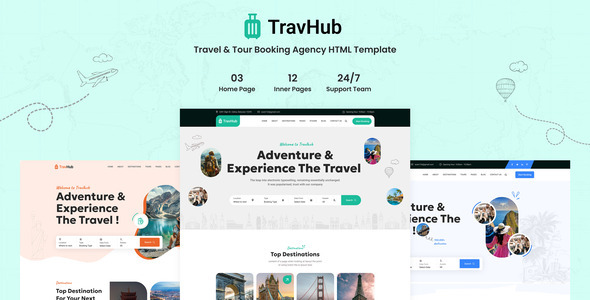
Travhub is a static HTML template designed for travel agencies and tourism booking platforms. It includes 3 homepage layouts, blog, destination, tour packages, and other complete pages, suitable for quickly building travel showcase or booking websites.
Tech Stack
- HTML5 + CSS3 + Vanilla JavaScript
- Bootstrap 5 (Grid, Components)
- jQuery + jQuery UI (Interactions, Date Picker)
- Owl Carousel / Slick (Carousels)
- GLightbox (Image Lightbox)
- FontAwesome (Icons)
- Custom Icon Font (travhub-icons)
- Google Fonts (Caveat, Geologica, Roboto)
Project Structure
text
travhub-html-package/
├── Documentation/          # Template documentation
│   └── index.html
└── travhub/               # Template main directory
    ├── index.html         # Homepage One
    ├── index2.html        # Homepage Two
    ├── index3.html        # Homepage Three
    ├── about.html         # About Us
    ├── tour.html          # Tour Packages List
    ├── tour-details.html  # Tour Package Details
    ├── destination.html   # Destination List
    ├── blog-grid.html     # Blog (Grid Layout)
    ├── blog-list.html     # Blog (List Layout)
    ├── contact.html       # Contact
    ├── login.html         # Login Page
    ├── 404.html           # Error Page
    └── assets/            # Static Assets (CSS, JS, Images, Fonts)
Core File Description
travhub/index.html— Main template entry, includes full navigation, carousel, and content structureassets/css/travhub.css— Main stylesheet, integrates all page stylesassets/vendors/— Third-party libraries (Bootstrap, Owl Carousel, Slick, etc.)assets/js/— Template scripts directoryassets/images/— Image assetstravhub-icons/style.css— Template custom icon font
Quick Start
Simply open travhub/index.html in your browser to preview.
For a local server, we recommend installing the Live Server extension for VS Code, right-click on index.html and select "Open with Live Server".
To modify page content: open the corresponding HTML file with a code editor (e.g., VS Code), locate the section, and edit the text and image paths directly.
Usage Suggestions
- Image replacement: Replace placeholder images in
assets/images/with your actual assets - Form functionality: The current template forms are static displays. For real submissions, you need to integrate a backend or connect a form service
- Mobile: The template includes built-in responsive layout. Navigation automatically collapses into a hamburger menu on mobile devices
