Project Overview
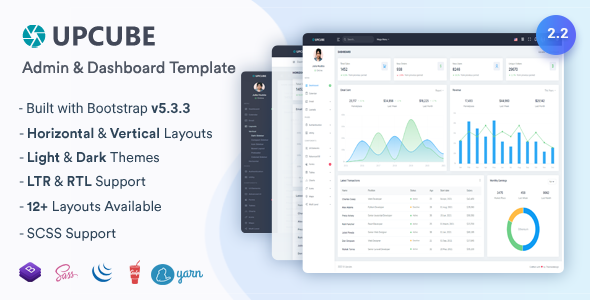
Upcube is a premium admin dashboard HTML template built on Bootstrap 5, offering vertical/horizontal layout modes, dark theme, and RTL support. It includes built-in charts, data tables, form components, calendars, and other common management features, making it ideal for quickly building enterprise-level backend systems.
Tech Stack
- Bootstrap 5.3.3 — UI Framework
- jQuery 3.7.1 — DOM Manipulation
- Gulp 4.0.2 — Build Tool
- Sass — CSS Preprocessor
- DataTables, Chart.js, ApexCharts, ECharts — Data Visualization
- FullCalendar — Calendar Component
- TinyMCE — Rich Text Editor
- SweetAlert2 — Modal Notifications
Project Structure
text
Upcube_HTML_2.2.0/
├── Documentation/          # Official documentation entry
│   └── index.html
└── HTML/                   # Template main directory
    ├── gulpfile.js         # Gulp build configuration
    ├── package.json        # Dependency declaration
    └── src/                # Source code (includes @@include partials)
        ├── index.html      # Default dashboard
        ├── charts-*.html   # Various chart pages
        ├── tables-*.html   # Table-related pages
        ├── form-*.html     # Form-related pages
        ├── email-*.html    # Email module
        ├── auth-*.html     # Authentication pages
        ├── pages-*.html    # Error pages / blank pages etc.
        └── layouts-*.html  # Various layout variants
Core File Description
HTML/package.json— Defines all npm dependencies (includes Bootstrap, jQuery, and 50+ plugins)HTML/gulpfile.js— Configures build tasks such as Sass compilation, CSS minification, RTL conversionHTML/src/index.html— Main dashboard entry page with statistics cards and chart examplesHTML/src/pages-404.html/pages-500.html— Error page templatesHTML/src/layouts-*.html— 9 layout variants (dark sidebar, horizontal, RTL, etc.)
Quick Start
bash
cd Upcube_HTML_2.2.0/HTML
npm install       # Install dependencies
npm install -g gulp-cli  # Install Gulp CLI globally (if not installed)
gulp              # Start development server and watch for file changes
Static usage: Open HTML/src/index.html directly in a browser (but some features depend on built assets).
Usage Recommendations
This template is suitable for backend admin interfaces that need to be ready-to-use. If using the @@include syntax, pages must be built via Gulp to render correctly. The template contains no backend logic and is responsible only for the frontend presentation layer.
