Project Overview
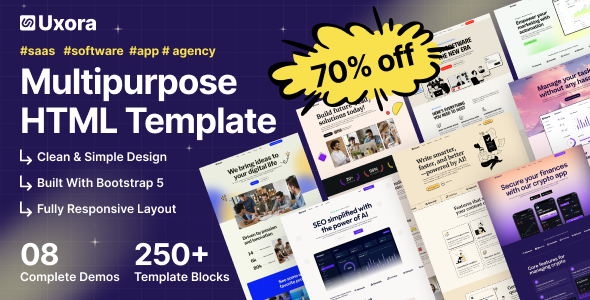
Uxora is a multi-style enterprise-grade HTML template package containing 8 complete demo pages covering various business scenarios such as IT services, market analysis, webinars, and SaaS products. Built on Bootstrap 5, the templates come with responsive navigation, animation effects, and common page components, ready to use out of the box.
Tech Stack
- HTML5 + CSS3 (static pages)
- Bootstrap 5 (grid system & components)
- Remix Icon + Font Awesome (icon libraries)
- Slick Slider (carousel)
- Magnific Popup (image/video lightbox)
- Google Fonts (Inter, Lora, Epilogue, etc.)
- AOS / anime.js (entrance animations, some versions)
Project Structure
uxorahtml-10/Main-File/
├── documentation.zip          # Documentation archive
└── demos/
    ├── uxora-v1/               # IT solutions, includes Portfolio/Team pages
    ├── uxora-v2/               # Includes login/register/password recovery
    ├── uxora-v3/               # IT services & solutions
    ├── uxora-v4/               # Market analysis platform
    ├── uxora-v5/               # Minimalist homepage
    ├── uxora-v6/               # SaaS product page
    ├── uxora-v7/               # Task management tool
    └── uxora-v8/               # Webinar platform
Core File Description
demos/uxora-vN/index.html— Homepage entry for each versionassets/css/main.css— Global styles and layoutassets/css/app.min.css— Theme colors and component stylesassets/css/bootstrap.min.css— Bootstrap frameworkassets/images/logo/logo-dark.svg— Navigation bar logoassets/images/hero/— Hero section background images for each version
Quick Start
Simply open the index.html of your chosen version in a browser to preview:
demos/uxora-v1/index.html       # IT solutions
demos/uxora-v8/index.html       # Webinar
For full demonstration, deploy the entire Main-File directory to a web server to ensure the assets path is accessible.
Usage Suggestions
Each vN version has a different positioning (IT / Consulting / SaaS / Task Management / Market Analysis). It is recommended to select the version closest to your actual business for secondary development; modify the logo, color scheme, and copy, then replace the image resources in assets/images for quick deployment.
