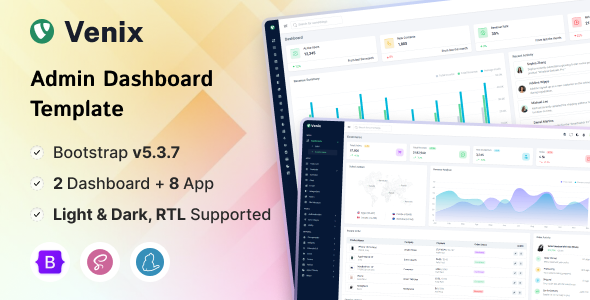
Project Overview
Venix is a responsive admin dashboard template built on Bootstrap 5.3.3, featuring 105+ pages, 40+ components, and 30+ chart examples. It's ideal for quickly building CRM, CMS, enterprise backends, or SaaS interfaces. Includes built-in dark/light mode switching and RTL support.
Tech Stack
- Bootstrap 5.3.3
- jQuery
- Iconify Icon
- SimpleBar
- Node-waves
- Feather Icons
- SCSS (for theme customization)
- Static HTML/CSS/JS
Project Structure
venixhtml-10/Venix_v1.0.0/
├── Documentation/          # Official documentation and guides
│   ├── index.html
│   ├── getting-started.html
│   ├── css/
│   └── js/
└── Venix/                  # Template main directory
    ├── index.html           # Main dashboard
    ├── app-*.html           # Application pages (chat, calendar, todo, etc.)
    ├── charts-*.html        # Chart pages (bar, pie, radar, 30+ types)
    ├── auth-*.html          # Authentication pages (login, register, lock screen, etc.)
    ├── ecommerce-*.html     # E-commerce pages
    ├── error-*.html         # Error pages (404, 500, 503)
    └── assets/              # Static assets: CSS, JS, images, etc.
Core Files Description
Venix/index.html— Main admin dashboard entry point with navigation bar, sidebar, and homepage overviewVenix/app-*.html— Pre-built application pages including chat, calendar, contacts, file management, etc.Venix/charts-*.html— 30+ chart examples covering line, bar, pie, radar, and other chart typesVenix/auth-*.html— Complete authentication flow pages including login, register, password recovery, and lock screenVenix/ecommerce-*.html— E-commerce template pages including product listings, shopping cart, etc.Documentation/getting-started.html— Official quick start guide
Quick Start
Open Venix/index.html directly in your browser to preview the full template. For a local server, use any static server:
# Python 3
python -m http.server 8080

# Node.js (npx)
npx serve Venix
Usage Recommendations
This template is pure static HTML. It's recommended to use it as a starting point for your project's UI framework by extracting page components and integrating them with your backend. Built-in SCSS variables support quick dark/light theme switching. Before customization, read Documentation/getting-started.html to understand the directory structure and build approach.
