Project Overview
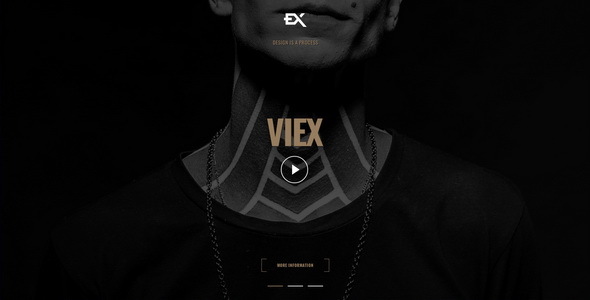
Viex is a creative portfolio single-page HTML template featuring 6 different homepage hero section display methods: slideshow carousel, Ken Burns zoom fade, YouTube/Vimeo/HTML5 video backgrounds, and a single image version. Suitable for individual photographers, designers, and creative professionals to quickly build a portfolio showcase website.
Tech Stack
- HTML5 + CSS3 (Raleway font, IonIcons icons)
- jQuery (handles core logic for slideshow, scroll navigation, form interactions, etc.)
- Slick Carousel v1.6.0 (carousel component)
- Magnific Popup v1.1.0 (image/video lightbox)
- PhotoSwipe (image gallery)
- contact.php (contact form backend, requires PHP environment)
Project Structure
text
Viex-v1-0-Template/
  index-HERO-SLIDESHOW-ZOOM-FADE.html   # Slideshow + Ken Burns effect
  index-HTML5-VIDEO.html                # Self-hosted HTML5 video background
  index-KENBURNS-SLIDESHOW.html         # Ken Burns zoom fade
  index-SINGLE-IMAGE.html               # Single image background
  index-VIMEO-VIDEO.html                # Vimeo video background
  index-YOUTUBE-VIDEO.html              # YouTube video background
  contact.php                           # Contact form processing script
  css/
    style.css                           # Main stylesheet (with 35 section comments)
    plugins.css                         # Third-party plugin styles
  js/
    viex.js                             # Template core script
    plugins.js                          # Plugin initialization configuration
  img/                                  # Image assets
Viex-v1-0-Documentation/
  index.html                            # Official documentation page
  assets/                               # Documentation CSS/JS
Core File Description
css/style.css— Main stylesheet containing complete styles for 35 modules including loader, navigation, portfolio, timeline, testimonials, etc.js/viex.js— Core interaction script responsible for page initialization and animation logicindex-*.html— 6 homepage variants, choose the appropriate version and modify content as neededcontact.php— Contact form processing, sends user submissions to a preset email addressimg/— Background images, portfolio images, etc. Ensure path consistency when replacingphotoswipe/— Image gallery dependency resources, do not delete
Quick Start
- After downloading the template, open the
Viex-v1-0-Templatedirectory - Select the appropriate homepage version based on your needs (e.g.,
index-YOUTUBE-VIDEO.html) - Open the HTML file directly in a browser to preview the effect
- For the contact form functionality, upload
contact.phpto a PHP-supported server and modify$myemailon line 4 to your actual recipient email address
Usage Tips
Video background versions need to be hosted on a server environment to play properly (opening locally may be restricted by browser security policies). When replacing images, maintain the img/ directory structure, or update the background-image paths in the CSS accordingly.
