Project Introduction
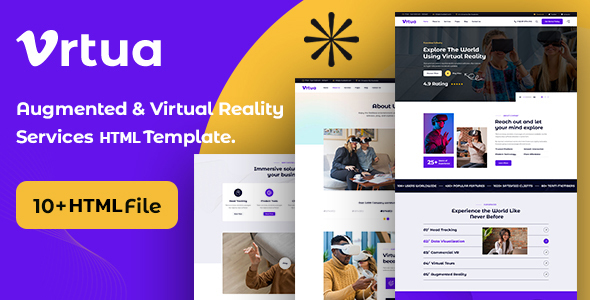
VrTua is a static multi-page HTML template designed for Virtual Reality (VR) service providers, featuring complete business pages including Home, About, Services, Blog, Team, Pricing, FAQ, and Contact. It comes with built-in dark/light dual themes, responsive layout support, and animation effects such as GSAP/WOW, making it ideal for quickly building VR company showcase websites.
Tech Stack
- HTML5 / CSS3 (SCSS)
- Bootstrap 5.2.3
- jQuery 3.7.1
- Swiper Slider (carousel)
- GSAP + ScrollTrigger (scroll animations)
- MeanMenu (mobile navigation)
- Nice Select / Magnific Popup / WOW.js / CounterUp
- Google Fonts (Montserrat Alternates, Plus Jakarta Sans)
Project Structure
text
vrtuahtml-10/
├── Documentation/          # Official documentation
│   ├── index.html
│   └── css/
├── vrtua/                   # Light theme main site
│   ├── index.html
│   ├── about.html / blog*.html / contact.html / service*.html
│   ├── faqs.html / pricing.html / team.html
│   └── assets/
│       ├── css/             # Compiled CSS
│       ├── scss/            # SCSS source files (_header, _hero, _footer, etc.)
│       └── js/              # Interactive scripts
└── vrtua-dark/              # Dark theme version (same structure as vrtua)
Key File Description
vrtua/index.html— Homepage, includes Banner carousel, counters, partner scroll bar, and other modulesvrtua/assets/css/main.css— Main stylesheet, defines global typography and color schemevrtua/assets/js/main.js— Main export script, includes Swiper initialization, Sticky Header, mobile menu, etc.vrtua/assets/scss/— SCSS source directory (modular files like _header.scss, _hero.scss)vrtua-dark/— Complete dark theme copy, only color scheme differsDocumentation/index.html— Template usage documentation, includes customization instructions and structure overview
Quick Start
- Open
vrtua/index.htmldirectly in a browser to preview the light theme; - Or open
vrtua-dark/index.htmlto preview the dark theme; - Use editors like VS Code to modify HTML content, and upload the entire
vrtua/orvrtua-dark/folder to your server for deployment.
Usage Suggestions
Modify variable files (e.g., _global.scss) in assets/scss/ to quickly unify the color scheme and fonts; replace placeholder images under assets/img/ to make it production-ready.
