Project Overview
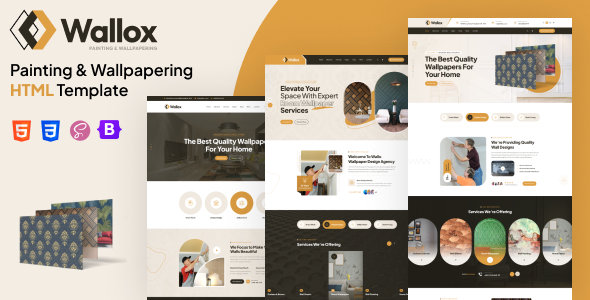
Wallox is a static HTML website template designed for the paint and wallpaper service industry. It includes multiple page templates such as homepage, blog, portfolio, and shopping cart, with support for dark/boxed layout variants, making it suitable for quickly building a service showcase website.
Tech Stack
- Bootstrap 5.x (main template) / Bootstrap 3.x (documentation page)
- jQuery + vanilla JavaScript
- Font Awesome + custom IcoMoon icon fonts
- Google Fonts (Outfit, Plus Jakarta Sans)
- Static HTML + CSS, no build dependencies
Project Structure
text
wallox-html-package/
├── wallox-html-main/          # Actual website template
│   ├── index.html             # Homepage
│   ├── about.html / contact.html / faq.html
│   ├── blog-*.html            # Blog list/detail pages (multiple layouts)
│   ├── gallery-*.html         # Portfolio pages (grid/carousel/filter)
│   ├── cart.html / checkout.html
│   └── assets/                # JS/CSS/images/icon fonts
├── wallox-html-documentations/  # Official documentation
│   └── index.html             # Documentation entry page
└── wallox-icons/              # Custom icon font source files
Key Files
wallox-html-main/index.html— Homepage with full header, carousel, and service modulesassets/css/wallox.css— Main stylesheet containing all page stylesassets/vendors/wallox-icons/style.css— Custom icon font stylesassets/js/wallox.js— Template interaction logic (verify existence)wallox-html-documentations/index.html— Official documentation with HTML/CSS structure explanationsblog-grid.html/gallery-filter.html— Content page template examples
Quick Start
Simply open wallox-html-main/index.html in your browser to preview all pages. For a local server:
bash
# Python 3
cd wallox-html-package/wallox-html-main
python -m http.server 8080
Then visit http://localhost:8080
Usage Suggestions
- The template is purely static; customize content by directly editing HTML files; images are located in
assets/images/ - To integrate a backend (shopping, forms), you'll need to write your own interface logic — the current template only includes frontend styles
