Project Overview
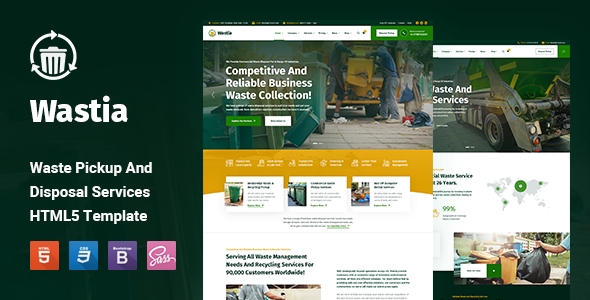
Wastia is an HTML5 business website template designed specifically for waste removal and disposal service companies. Built on the Bootstrap framework, it provides complete pages including homepage, service introduction, case studies, online shopping, and appointment booking.
Tech Stack
- HTML5
- Bootstrap 5
- CSS3
- Google Fonts (Fira Sans, Roboto)
- Font Awesome 5
Project Structure
text
wastiahtml-10/main_files/
├── Documentation/
│   └── Documentation/
│       └── index.html        (Template usage documentation)
├── wastia/
│   ├── index.html            (Main homepage)
│   ├── home-modern.html      (Modern style homepage)
│   ├── home-classic.html     (Classic style homepage)
│   ├── about-us.html         (About Us)
│   ├── services.html         (Services list)
│   ├── service-single.html   (Service detail page)
│   ├── pricing.html          (Pricing plans)
│   ├── shop.html             (Product list)
│   ├── shop-single.html     (Product detail page)
│   ├── cart.html             (Shopping cart)
│   ├── blog.html             (Blog list)
│   ├── blog-single-post.html (Blog article page)
│   ├── case-studies.html     (Case studies list)
│   ├── case-study-single.html(Case study detail page)
│   ├── team.html             (Team members)
│   ├── testimonials.html     (Client testimonials)
│   ├── careers.html          (Careers page)
│   ├── faqs.html             (Frequently asked questions)
│   ├── contact-us.html       (Contact Us)
│   ├── locations.html        (Drop-off locations)
│   ├── gallery.html          (Image gallery)
│   ├── how-it-works.html     (How it works)
│   ├── request-pickup.html   (Pickup request form)
│   └── assets/               (CSS, images, and other static resources)
Key Files
wastia/index.html— Main website entry pointwastia/assets/css/style.css— Main stylesheetwastia/assets/css/icons.css— Custom icon styleswastia/assets/css/libraries.css— Third-party component styleswastia/request-pickup.html— Pickup service request formDocumentation/Documentation/index.html— Template customization documentation
Quick Start
Open wastia/index.html directly in your browser to preview, or use any local server (e.g., python -m http.server) to run it.
Usage Tips
The template offers three homepage variants. Choose based on your brand identity. For customizing colors, logos, etc., refer to the usage documentation in the Documentation directory.
