Project Overview
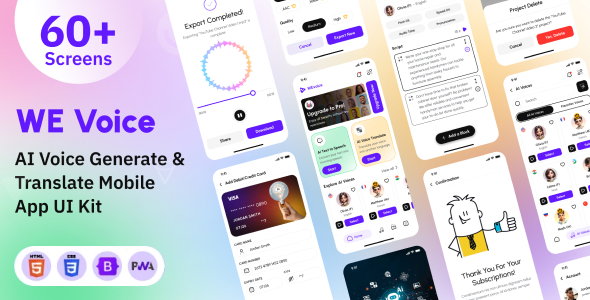
WEvoice is a mobile-oriented voice generation and translation PWA HTML template, covering business pages such as registration/login, home, AI voice, translation, subscription, and notifications. It provides a unified UI style and responsive layout, suitable for quickly building frontend prototypes of voice apps or for learning reference.
Tech Stack
- HTML5 + CSS3 (Native + Bootstrap 5)
- JavaScript (jQuery, Slick Slider, Bootstrap JS)
- SVG Vector Icons (Remix Icon)
- Static Assets (No build tools, runs directly in browser)
Project Structure
text
wevoicehtml-10/Main File/
├── Documentation/
│   ├── index.html
│   └── assets/
└── Voice Generation and Translation Mobile App PWA HTML Template - We Voice/
    ├── splash.html
    ├── sign-in.html
    ├── homeScreen.html
    ├── aiVoiceAudio.html
    ├── translateTo.html
    └── assets/
        ├── css/
        ├── javascript/
        └── images/
Core File Description
splash.html— App splash screen, includes preloading animation and logo.homeScreen.html— Home page, displays main feature entries and recommended content.aiVoiceAudio.html— Voice generation page, provides text-to-speech UI.translateTo.html— Translation page, supports language switching and result display.assets/css/style.css— Global styles, includes colors, spacing, buttons, etc.assets/javascript/script.js— Interaction scripts, handles page navigation, form validation, etc.
Quick Start
- Download or clone the project to your local machine.
- Open
splash.html(orindex.html) directly in your browser to preview all pages. - If you need a local server (for cross-origin or PWA testing), run the following in the project root directory:
Then visitbash
python -m http.server 8000http://localhost:8000/.
Usage Suggestions
- Replace the logo and illustrations in
assets/images/to quickly achieve branding. - Adjust theme colors in
assets/css/style.cssto implement dark/light mode switching. - To truly implement PWA, you need to add
manifest.jsonand Service Worker; currently, this is only a UI template.
