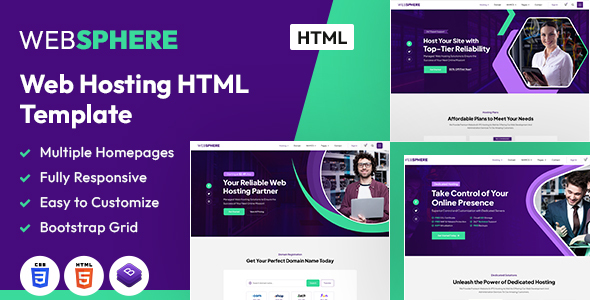
Project Overview
Websphere is a static HTML website template designed for internet service providers, featuring multiple pages including homepage, services, product showcase, and blog with clear layout and comprehensive interactions. Built with Bootstrap framework and includes a PHP contact form, ideal for quickly setting up business showcase sites for VPS, domains, hosting, and similar services.
Tech Stack
- Bootstrap 5.x (responsive layout framework)
- HTML5 + CSS3 (static page structure)
- Font Awesome 6 (icon library)
- Owl Carousel 2 (carousel component)
- jQuery UI Slider (price slider)
- PHP (contact form backend)
Project Structure
text
webspherehtml-10/
├── documentation/
│   └── doc.html
└── websphere/
    ├── index.html            # Homepage
    ├── about.html            # About Us
    ├── services.html         # Services List
    ├── pricing.html          # Pricing Page
    ├── shop.html             # Product Store
    ├── contact.html          # Contact Page
    ├── blog.html             # Blog List
    ├── assets/
    │   ├── bootstrap/        # Bootstrap CSS
    │   ├── css/              # Custom Styles
    │   └── images/           # Image Assets
    └── contact-form.php      # Form Processing Script
Core File Description
websphere/index.html— Homepage entry point, includes Banner, service showcase, customer testimonials and other moduleswebsphere/assets/bootstrap/bootstrap.min.css— Bootstrap framework core stylesheetwebsphere/assets/css/custom.css— Overrides framework default styles, implements theme visualswebsphere/contact-form.php— Backend script that receives frontend form data and sends emailswebsphere/assets/css/owl.carousel.min.css— Carousel style configuration
Quick Start
Method 1: Local Preview
Simply double-click websphere/index.html or open it using the Live Server plugin in VS Code.
Method 2: Local Server (supports contact form functionality)
bash
# If using PHP built-in server
cd webspherehtml-10/websphere
php -S localhost:8000
Then visit http://localhost:8000/contact.html to test form submission.
Usage Recommendations
- Before deployment, replace the target email
sumayyah.farooq@devbunch.comincontact-form.phpwith your actual business email, and ensure the server has mail sending functionality configured (mail() function). - Image assets are located in
assets/images/. When replacing, maintain the same file naming or synchronously modify the reference paths in CSS.
