Project Overview
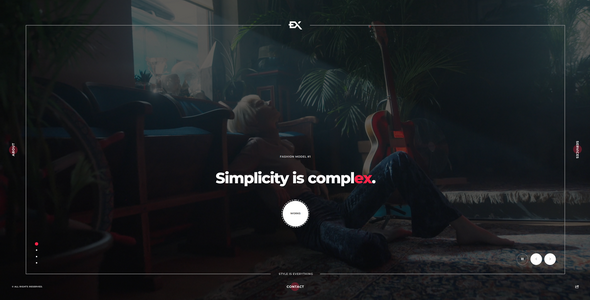
Widex is a dark-themed one-page portfolio HTML template, suitable for personal photographers, designers, or creative studios to showcase their work. It includes multiple homepage variants (Hero carousel, image background, video background, etc.), supports portfolio carousels and contact form popups, and works out of the box without complex configuration.
Tech Stack
- HTML5 + CSS3 (responsive layout)
- JavaScript (jQuery)
- Swiper carousel plugin
- Magnific Popup / Lity (image/video lightbox)
- PHP (only for contact form submission)
Project Structure
text
widexhtml-10/
├── Documentation/          # Template usage documentation
│   └── index.html
└── Template/                # Actual template files
    ├── index-*.html         # Multiple homepage variants
    ├── contact.php          # Contact form processing
    ├── css/
    │   ├── style.css        # Main stylesheet
    │   └── plugins.css      # Plugin styles
    ├── js/
    │   ├── widex.js         # Main script
    │   ├── widex-2.js       # Auxiliary script
    │   └── plugins.js       # Plugin scripts
    ├── img/                 # Image assets
    └── MIT-License/
Core File Description
Template/index-*.html— 6 homepage template variants, choose as neededTemplate/css/style.css— Main site stylesheet, includes dark theme configurationTemplate/js/widex.js— Core interaction logic and animationsTemplate/contact.php— Backend processing script for contact formTemplate/img/— Placeholder images for backgrounds and portfolio
Quick Start
- After downloading and extracting, select an
index-*.htmlfile from theTemplate/directory as the entry point - Open the HTML file directly in a browser to preview
- For contact form functionality, deploy
contact.phpto a PHP-supported server and modify$myemailto the target email address
Usage Suggestions
- When replacing background and portfolio images in the
img/directory, maintain consistent image proportions for optimal display - The contact form relies on a server-side PHP environment; if using static hosting, integrate a third-party form service instead
