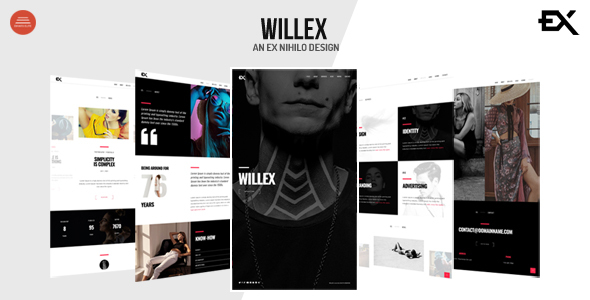
Project Overview
Willex is a photography portfolio web template offering 8 homepage variants (carousel, full-screen slideshow, video background, parallax effects, etc.), suitable for photographers and creative professionals to quickly build a personal portfolio website. The template is built with static HTML/CSS/JS and includes PHP scripts for contact form and email subscription functionality.
Tech Stack
- Static HTML5/CSS3/JavaScript
- jQuery (scroll navigation, animation interactions)
- PHP (contact.php contact form, subscribe.php subscription)
- Slick, Swiper, Owl Carousel (carousel components)
- Magnific Popup (image/video lightbox)
- MailChimp API (email subscription integration)
Project Structure
text
willexhtml-10/
  Willex-v1-0-Template/        ← Template main directory
    index-*.html              ← 8 homepage variants
    contact.php               ← Contact form processing
    subscribe.php             ← MailChimp subscription
    css/
      style.css               ← Main stylesheet
      plugins.css             ← Third-party plugin styles
    img/                      ← Image assets
  Willex-v1-0-Documentation/   ← Usage documentation
    index.html
    assets/
Core File Description
Willex-v1-0-Template/index-*.html— 8 homepage variants, including carousel, slider, video background, and other display formatsWillex-v1-0-Template/css/style.css— Main stylesheet defining all visual elements and layoutWillex-v1-0-Template/contact.php— Contact form backend, collects visitor submissions and sends emailsWillex-v1-0-Template/subscribe.php— MailChimp subscription interface, requires API Key and List ID configurationWillex-v1-0-Documentation/index.html— Official usage documentation explaining how to modify each module
Quick Start
- Deploy
Willex-v1-0-Template/to a web server environment - Edit
$myemailincontact.phpto the actual email address for receiving messages - For subscription functionality, fill in the MailChimp API Key and List ID in
subscribe.php - Open any
index-*.htmlfile directly in a browser to preview
Usage Recommendations
- Choose the appropriate homepage variant based on display needs; refer to the documentation for feature descriptions
- For video background pages, ensure the browser allows autoplay and that videos are hosted on a server supporting video files
- In production environments, harden PHP forms against injection attacks
