Project Overview
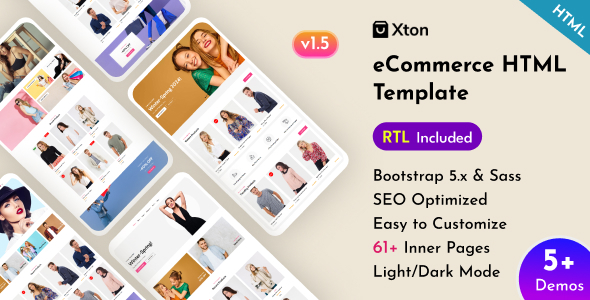
Xton is a multi-page e-commerce HTML template built with Bootstrap 5.x and jQuery 3.7.1, suitable for fast deployment of e-commerce websites in fashion, cosmetics, online retail, and more. The template includes an RTL version supporting Arabic and Hebrew. It consists of pure static pages and requires no build tools to run.
Tech Stack
- Bootstrap 5.x (responsive layout framework)
- jQuery 3.7.1
- Sass (style preprocessor)
- OWL Carousel / Slick (carousel components)
- Nice Select / MeanMenu (form and navigation plugins)
- Magnific Popup (lightbox effect)
Project Structure
text
xtonhtml-10/
├── xton-ecommerce-html-template/
│   ├── documantation/          # Documentation pages (with usage instructions)
│   │   ├── index.html
│   │   ├── css/style.css
│   │   └── js/main.js
│   └── xton/                   # Template main directory
│       ├── index.html          # Homepage
│       ├── assets/
│       │   ├── css/            # Style files
│       │   ├── js/             # Script files
│       │   └── img/            # Image assets
│       ├── about.html
│       ├── blog-*.html
│       ├── products-*.html
│       └── [other pages...]
Core File Description
xton/index.html— Homepage entry, includes top navigation, carousel, featured products, etc.xton/assets/css/style.css— Main stylesheet (includes dark theme dark.css)xton/assets/css/responsive.css— Responsive adaptation stylesdocumantation/index.html— Official template documentation, explains customization methods and component configurationdocumantation/css/style.css— Documentation page styles, defines Raleway / Work Sans fonts and primary color #3d5198xton/assets/js/main.js— Global interaction scripts (sidebar anchor scrolling, etc.)
Quick Start
Simply open xtonhtml-10/xton-ecommerce-html-template/xton/index.html in a browser to preview. If you need a local server (recommended), run the following in the xton directory:
bash
npx serve .
# or
python -m http.server 8080
Usage Suggestions
- All pages are located in the
xton/directory. Quickly add new product, blog, category, or other pages by copying existing HTML files - To change the primary color, simply modify the
--primaryColorvariable instyle.css - The template includes an RTL version (xton-rtl folder); just replace the CSS path to support Arabic/Hebrew typography
