Project Overview
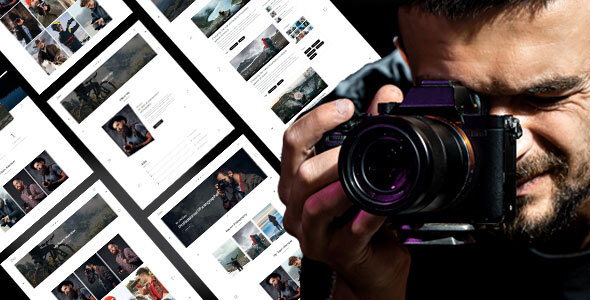
Zeo is a responsive HTML5 photographer portfolio template featuring 3 homepage styles, image galleries, blog, team, pricing page, and contact form. It's suitable for independent photographers or photography studios looking to quickly build a showcase website.
Tech Stack
- Bootstrap 4.1.3
- HTML5
- CSS3 (including responsive.css for responsive styles)
- jQuery
- PHP (only used for sendmail.php email sending)
Project Structure
text
zeohtml-10/
└── Zeo pack/
    ├── Documentation/          # Template usage documentation
    │   ├── index.html
    │   ├── css/
    │   └── js/
    └── Zeo/                   # Actual template files
        ├── index.html          # Homepage style 1
        ├── index2.html         # Homepage style 2
        ├── index3.html         # Homepage style 3
        ├── about.html
        ├── contact.html
        ├── gallery-*.html
        ├── blog-*.html
        ├── team.html
        ├── pricing.html
        ├── 404.html
        ├── sendmail.php
        └── assets/
Core File Description
Zeo/index.html— Main homepage entry, includes slideshow and portfolio showcaseZeo/contact.html— Contact page with form and map sectionZeo/sendmail.php— Contact form backend processing scriptassets/css/style.css— Main template stylesheetassets/css/responsive.css— Responsive layout stylesassets/js/script.js— Navigation and scroll interaction logic
Quick Start
Simply open Zeo/index.html in your browser to preview. For form functionality, deploy the Zeo folder to a PHP-enabled server environment.
Usage Suggestions
The template comes with a rich set of pre-built pages. It's recommended to select and keep only the HTML pages you need based on your actual business requirements, replace the placeholder images in assets/images/, and update the recipient email address in sendmail.php.
