Project Overview
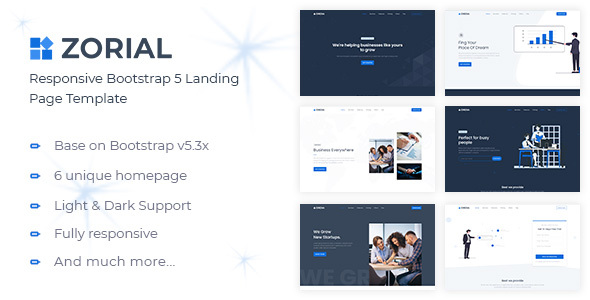
Zorial is a responsive multi-purpose landing page template built on Bootstrap, suitable for startups, SaaS products, business showcases, marketing pages, and more. The template includes 6 light and 6 dark theme variants, supports one-click light/dark mode switching, and features a sticky navigation bar, smooth scrolling, contact form, and more.
Tech Stack
- Bootstrap 4/5
- jQuery
- Owl Carousel (carousel component)
- Boxicons (icon font)
- Google Fonts (Montserrat / Poppins)
Project Structure
Zorial_HTML_v2.0.0/
├── Documentation/          # Template documentation
│   └── index.html
└── HTML/                   # Template main files
    ├── index-*.html        # 12 landing page variants (6 light + 6 dark)
    ├── css/
    │   ├── style.css       # Main stylesheet
    │   ├── style-dark.css  # Dark theme stylesheet
    │   └── bootstrap.min.css
    ├── js/
    │   └── app.js          # Interactive logic (navigation, carousel, form validation)
    ├── images/             # Sample image assets
    └── fonts/              # Boxicons icon font
Core File Description
HTML/index-*.html— 12 landing page entry files, differentiated by number and light/dark modeHTML/css/style.css— Main stylesheet defining colors, layout, and component stylesHTML/css/style-dark.css— Dark theme stylesheet, dynamically switched viaapp.jsHTML/js/app.js— Core interaction script including sticky navigation, smooth scrolling, carousel initialization, and form validation logicHTML/css/bootstrap.min.css— Bootstrap framework styles
Quick Start
Simply open HTML/index-1.html in your browser to preview. For a local server, we recommend using any static server (e.g., npx serve).
Usage Suggestions
All pages are pure static HTML with no build process required. To replace content and images, edit directly in the corresponding .html files; for style modifications, it is recommended to override styles in style.css rather than modifying Bootstrap source files directly.
