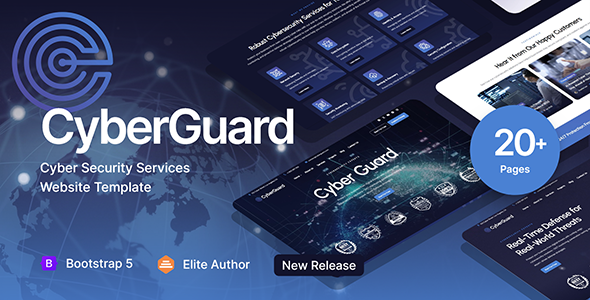
项目简介
CyberGuard 是一款面向网络安全服务企业的静态 HTML 模板,基于 Bootstrap 构建,提供首页、关于页、服务详情、博客、项目展示、联系表单等完整页面。内置深色/浅色主题切换、三套配色方案,适合安全公司、渗透测试服务商或 MSP(托管服务提供商)快速搭建官网。
技术栈
- Bootstrap 5(CSS 框架)
- Swiper.js(轮播组件)
- Google Fonts:Urbanist / DM Sans
- Font Awesome 4 & 6、ET Line Icons、Icofont(图标库)
- PHP(仅 contact.php / booking.php 用于表单后端)
项目结构
text
CyberGuard HTML/
├── index.html               # 首页(主入口)
├── homepage-2.html          # 首页变体
├── about.html               # 关于我们
├── services.html           # 服务列表
├── service-single.html      # 单个服务详情
├── projects.html            # 项目案例
├── project-single.html      # 单个案例详情
├── blog.html                # 博客列表
├── blog-single.html         # 博客文章
├── pricing.html             # 定价页
├── appointment.html         # 预约页
├── contact.html             # 联系我们(静态)
├── contact.php              # 联系我们(PHP 表单)
├── booking.php              # 预约表单后端
├── css/
│   ├── style.css            # 主样式(含 CSS 变量)
│   ├── bootstrap.min.css    # Bootstrap
│   ├── swiper.css           # Swiper 轮播
│   ├── plugins.css          # 插件样式
│   ├── colors/
│   │   ├── scheme-1.css     # 配色方案 1(默认)
│   │   ├── scheme-2.css     # 配色方案 2
│   │   └── scheme-3.css     # 配色方案 3
│   └── custom-swiper-1.css
└── images/                  # 图标、Logo、背景图
核心文件说明
index.html— 首页入口,包含 Banner、特性展示、案例轮播等区块css/style.css— 全局样式与 CSS 变量(颜色、字体、间距均在顶部定义)css/colors/scheme-*.css— 三套配色方案,通过修改href路径即可切换contact.php— 表单处理后端(需配合 PHP 服务器环境使用)appointment.html— 预约/试用入口页面fonts/— 包含 et-line / icofont / fontawesome 等图标字体,无需额外安装
快速开始
- 直接用浏览器打开
index.html,即可预览完整页面。 - 如需本地服务器热更新(推荐),可在目录下运行:
然后访问bash
# Python 3 python -m http.server 8000http://localhost:8000 - 使用 PHP 表单功能需将项目部署至支持 PHP 的 Web 服务器(如 XAMPP、Laragon)。
使用建议
- 模板内置深色主题类
.dark-scheme,在body上添加该 class 即可切换暗色模式;配色方案通过替换css/colors/下的文件实现。 - 所有图标均以字体形式引入,修改颜色直接通过 CSS
color属性即可,无需替换图片。
