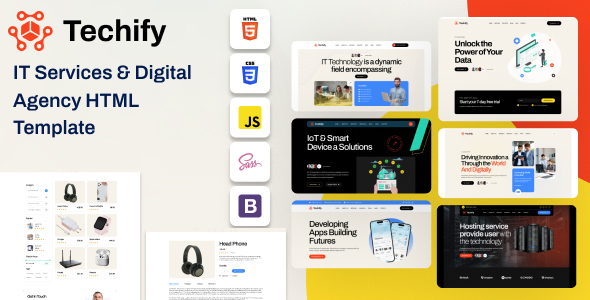
项目简介
Techify 是一款面向科技与 IT 服务企业的多页面 HTML 模板,包含首页、业务服务、案例展示、博客、商城、团队等完整页面模块,附带详细文档,适合快速搭建技术类公司官网或落地页。
技术栈
- Bootstrap 5.x(响应式布局框架)
- Swiper.js(轮播与幻灯片)
- jQuery 3.7.x(DOM 操作与交互)
- Magnific Popup(图片/视频弹窗)
- Nice Select(自定义下拉框)
- MeanMenu(移动端汉堡菜单)
- WOW.js / Animate.css(滚动动画)
项目结构
text
techify/
├── documentation/          # 模板使用文档
│   ├── index.html
│   └── assets/
│       ├── css/
│       │   ├── style.css
│       │   ├── responsive.css
│       │   └── elegantFont.css
│       ├── js/
│       │   ├── main.js
│       │   └── onpage-menu.js
│       ├── images/
│       └── fonts/
└── techify/               # 模板主体文件
    ├── index.html         # 主页(6种布局变体)
    ├── about.html
    ├── service.html
    ├── project.html
    ├── blog.html
    ├── shop.html
    ├── team.html
    ├── contact.html
    ├── faqs.html
    └── assets/
        ├── css/
        │   └── main.css
        └── js/
            └── main.js
核心文件说明
techify/index.html— 主首页入口文件techify/assets/css/main.css— 全局样式,定义了主题色、按钮、卡片等样式变量techify/assets/js/main.js— 交互逻辑,涵盖轮播、计数器、移动端菜单等documentation/index.html— 模板文档页面,含自定义颜色、图片、邮箱配置说明techify/shop.html— 商城列表页模板techify/contact.html— 联系方式页模板
快速开始
- 进入模板目录:
cd techify/techify - 用本地服务器打开(推荐),或直接在浏览器打开
index.html:bash# Python 方式 python -m http.server 8080 # 或使用 VS Code Live Server 插件直接运行 - 文档位置:
techify/documentation/index.html,可直接在浏览器中打开参考
使用建议
- 实际部署时替换
assets/img/中的占位图片为真实素材,并调整main.css中--theme等 CSS 变量来自定义主题色。 - 模板已内置 6 个首页变体,建议根据行业风格选择其中一种作为基准,再逐步替换内容。
